
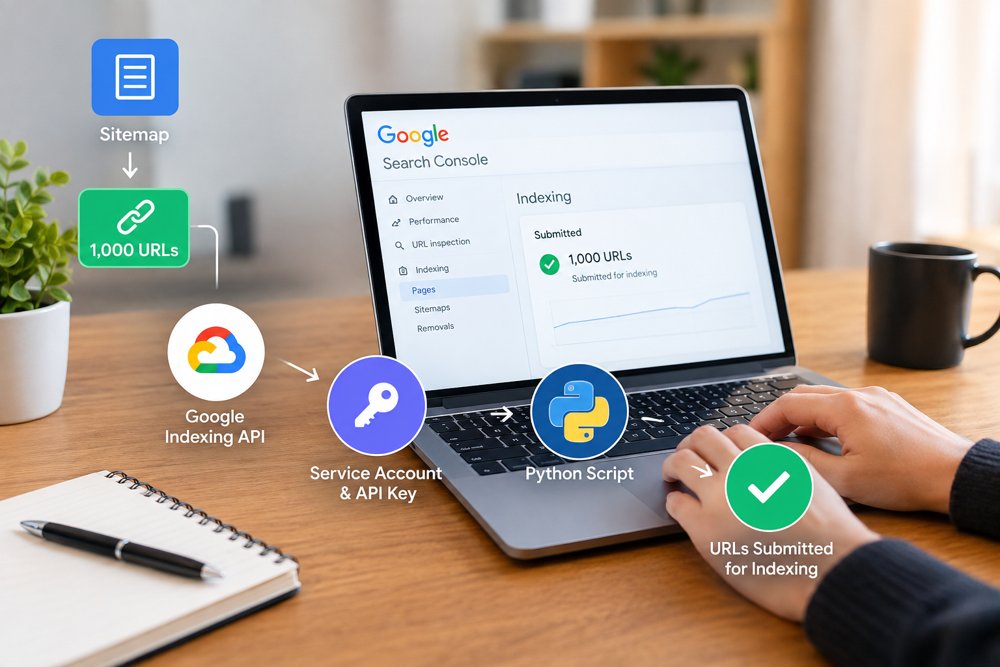

How to Send 1000 URLs for Indexing Using Google Indexing API
When a website has hundreds or thousands of URLs, submitting every URL manually for indexing can take a lot of time. If you have around 1,000 URLs that need to be submitted, you can use the Google Indexing API with Python to automate the process.
In this guide, we will explain how you can collect URLs from your sitemap, connect your Google account with the API, create service account keys, and send URLs for indexing.
What Is Google Indexing API?
Google Indexing API is a Google service that allows websites to notify Google when certain pages are added or updated. Instead of manually requesting indexing for individual URLs in Google Search Console, you can use an API-based process.
Before starting, make sure your website is added and verified in Google Search Console.
Step 1: Open Google Developer Console
First, open Google Developer Console and create or select a project for your website.
Inside the project, search for the Web Search Indexing API and enable it.
You will also need to create a service account. A service account provides an email address that can be given access to your Google Search Console property.
Step 2: Create Service Accounts and Keys
After enabling the API, go to the service account section and create a service account.
You can then create a key for the service account and download the JSON key file.
For a large URL submission project, you may need multiple service accounts and keys depending on the setup and API limits you are working with. Keep the downloaded JSON files secure because they contain credentials used by your script.
For example, if your setup requires five separate service accounts, create five service accounts and generate a key for each one.
Important: Do not publicly share your JSON key files or upload them to your website.
Step 3: Give the Service Account Access to Google Search Console
Now copy the email address of your service account.
Open Google Search Console and select your website property.
Go to the users and permissions section and add the service account email with the required owner-level access for the API workflow.
This step is important because creating an API key alone does not automatically give the service account permission to work with your Search Console property.
Step 4: Install Python
The next step is to install Python on the computer or hosting environment where you will run the indexing script.
Use a current supported Python 3 version. If your hosting control panel provides Python 3.10, you can create a Python 3.10 environment.
After installing Python, open your Control Panel or terminal provided by your hosting company.
Check that Python is working with:
python --versionor:
python3 --versionStep 5: Install the Required Python Packages
Once Python is installed, install the Google API packages required by the script.
For example:
pip install google-api-python-client google-auth google-auth-httplib2 google-auth-oauthlibDepending on your hosting environment, you may need to use:
pip3 install google-api-python-client google-auth google-auth-httplib2 google-auth-oauthlibThe exact command can vary between hosting control panels.
Step 6: Fetch URLs From Your Sitemap
Instead of manually creating a list of 1,000 URLs, you can fetch the URLs directly from your website sitemap.
For example, your sitemap may contain URLs such as:
https://example.com/page-1/
https://example.com/page-2/
https://example.com/page-3/
A Python script can read the sitemap and collect the URLs automatically.
This is useful when you regularly publish new pages because you do not have to create a new URL list every time.
Step 7: Connect the Python Script With Your Google API
Place the service account JSON key file in a secure location on your server.
The Python script can then use the credentials from that file to authenticate with Google.
The basic workflow is:
Sitemap → Fetch URLs → Authenticate With Google → Send URLs to the API → Record the response
You can also make the script process URLs in batches rather than trying to send all 1,000 URLs at exactly the same time.
Step 8: Send the URLs for Indexing
After the API connection is configured, the script can go through your sitemap URLs one by one and send the appropriate indexing notification.
The script should also record successful requests and errors.
For example:
URL 1 – Submitted
URL 2 – Submitted
URL 3 – Error
URL 4 – Submitted
This makes it easier to identify URLs that need to be checked or processed again.
Can You Send 1000 URLs at Once?
You should not assume that the Google Indexing API allows unlimited requests simply because you have 1,000 URLs.
Google applies API quotas and eligibility requirements, and the Indexing API is intended for specific types of content. Sending a request through the API also does not guarantee that Google will index the URL.
For normal webpages, submitting URLs through Search Console’s sitemap functionality is generally the standard approach. The Indexing API has specific supported use cases, so make sure your website and content meet Google’s current requirements before using it.
Check the URLs in Google Search Console
After submitting the URLs, you can use Google Search Console to monitor your website.
You can check:
Indexing → Pages
This helps you understand which pages Google has discovered and which pages have indexing issues.
Remember that sending a URL to Google’s API is a request or notification. It is not a guarantee that the page will appear in Google search results.
Keep Your API Keys Secure
Your service account JSON files should always be kept private.
Do not:
Upload them to your public website
Share them through public groups
Add them to a public GitHub repository
Place them inside publicly accessible folders
If a key is exposed, create a new credential and remove access to the exposed one.
Need Help Sending Large Numbers of URLs?
Setting up Google Developer Console, service accounts, Search Console permissions, Python, sitemap fetching, and API requests can be confusing if you have never worked with APIs before.
If you need help setting up an automated URL submission workflow or managing your SEO indexing process, you can contact SEO Outsourcing Company USA for professional SEO support.
The team can help with technical SEO, Google Search Console, indexing-related tasks, AI SEO, GEO, AEO, and other SEO services for businesses.
