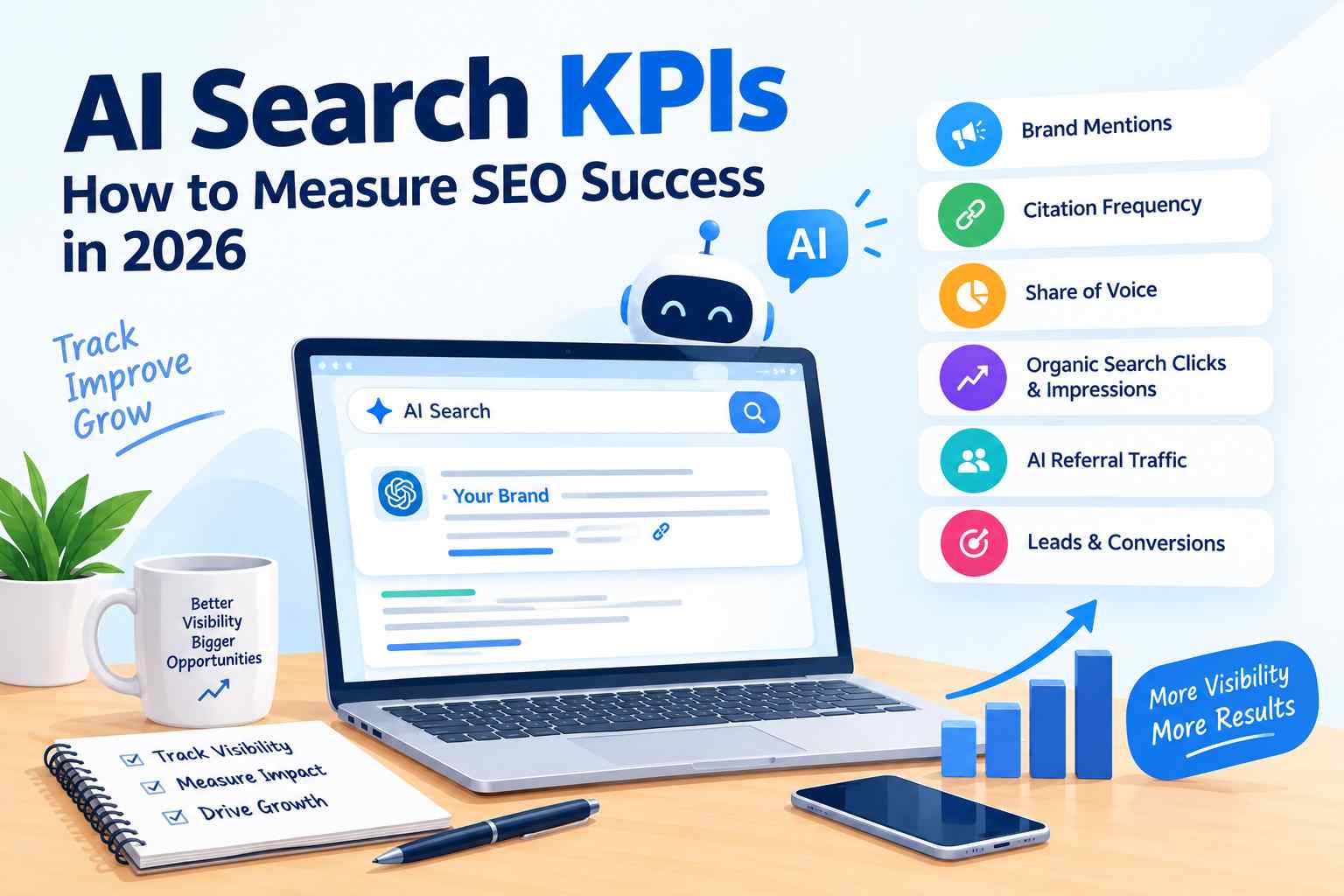
AI Search KPIs: How to Measure SEO Success in 2026

AI Search KPIs: How to Measure SEO Success in 2026

SEO is changing as people increasingly use AI-powered search tools to find information, compare services, and discover businesses. Traditional SEO measurements, such as keyword rankings and organic clicks, are still important, but they may not show the complete picture of how a brand appears in AI-generated answers.

This is where AI search KPIs become useful. They help businesses understand whether their content is being mentioned, cited, discovered, and ultimately contributing to business goals.

In this guide, we will explain the most useful AI search KPIs, how to track them, and how businesses can measure SEO performance in 2026.

What Are AI Search KPIs?

AI search KPIs are measurements used to evaluate a website’s visibility and performance across AI-powered search experiences.

KPI stands for Key Performance Indicator. It is a measurement used to check whether an activity is helping achieve a specific goal.

For example, if a business wants more people to discover its brand through AI search, it might track brand mentions and citations. If the goal is to generate more leads, it should also monitor website visits, inquiries, and conversions.

The right KPIs depend on what a business wants to achieve. There is no single measurement that can explain every part of AI search performance.

Why Are AI Search KPIs Important?

Traditional SEO often focuses on rankings, clicks, impressions, and organic traffic. These measurements remain valuable, but AI-powered search introduces additional ways for people to discover information.

A person may see a business mentioned in an AI-generated answer without clicking through to its website. Another person may click a cited source and later contact the business.

Without suitable measurements, businesses may overlook these differences.

Tracking AI search KPIs can help companies:

  • Understand how often their brands appear in AI-generated answers.
  • Identify content that attracts attention from AI search experiences.
  • Measure whether AI-related traffic leads to useful actions.
  • Compare AI visibility with traditional organic search performance.
  • Make better decisions about content and SEO investment.

However, not every AI platform provides complete visibility data. Some measurements rely on third-party tools or repeated prompt testing, so results should be treated as estimates when appropriate.

Six Important AI Search KPIs to Track

1. AI Brand Mentions

AI brand mentions measure how often an AI search tool refers to your business when answering relevant questions.

For example, if someone asks an AI tool to recommend SEO agencies in the USA, your business might appear in its response.

Tracking brand mentions can help you understand whether your company is becoming more visible for relevant topics.

How to track it:

  • Test a consistent set of relevant questions across selected AI platforms.
  • Record whether your brand appears in each response.
  • Repeat the tests over time using the same prompts.
  • Compare results with relevant competitors.

AI answers can change between searches, so one test is not enough to establish a reliable trend.

2. AI Citation Frequency

AI citation frequency measures how often an AI-generated response links to your website as a source.

Brand mentions and citations are different. An AI tool may mention your business without linking to your website.

For example, an AI response might discuss link-building strategies and cite a guide published on your website.

Why it matters: Citations can help users discover your original content and may bring visitors to your website.

How to track it: Use available AI visibility tools, inspect relevant responses, and record the URLs cited. Track the pages receiving citations and the subjects associated with them.

A citation does not automatically mean that your website will receive traffic or generate leads.

3. AI Share of Voice

AI share of voice measures how frequently your brand appears in AI-generated answers compared with selected competitors.

For example, if you test 100 relevant prompts and your brand appears in 15 responses, your measured mention rate is 15%.

This is an example of a simple tracking method, not an industry-wide standard. Your result will depend on the prompts, platforms, and competitors you choose.

How to track it:

  1. Select questions that potential customers might ask.
  2. Test your brand and relevant competitors using the same prompts.
  3. Record mentions and citations separately.
  4. Compare the results over time.

Share of voice can help identify visibility gaps, but it should not be treated as a direct measure of revenue or market share.

4. Organic Search Clicks and Impressions

AI search does not replace the need to monitor traditional Google Search performance.

Organic clicks show how many times users visit your website from unpaid search results. Impressions show how often your website appears in search results.

Google Search Console can help you monitor these measurements, identify pages gaining visibility, and find opportunities to improve content.

For example, if a page receives many impressions but few clicks, you may need to review its title, description, search intent, or position in search results.

These metrics do not measure every AI interaction, but they remain useful for understanding traditional organic search performance.

5. AI Referral Traffic

AI referral traffic measures visits to your website that come from AI platforms when the referring source is recorded.

For example, a user may click a link from ChatGPT or another AI service and visit your website.

Google Analytics 4 can help you investigate referral traffic and identify visits attributed to available source information.

How to track it:

  • Review traffic acquisition reports in GA4.
  • Look for AI platforms among recorded referral sources.
  • Check landing pages receiving those visits.
  • Compare engagement and conversions with other traffic sources.

Some AI visits may not be attributed accurately. Users can open links in different browsers or apps, and referral information may be missing. Therefore, recorded AI referral traffic may not represent every visit influenced by AI search.

6. Leads and Conversions

Visibility is useful, but businesses also need to understand whether it supports meaningful results.

Conversions are actions that matter to a business. Depending on the website, these may include contact form submissions, phone calls, quote requests, purchases, or booked consultations.

For example, an SEO agency may receive visits from AI platforms but generate very few inquiries. In that case, the business should examine the relevance of the traffic, the landing page, and the conversion process.

How to track it:

  • Set up relevant conversion events in GA4.
  • Review form submissions and other business goals.
  • Compare available AI referral traffic with conversions.
  • Evaluate lead quality, not just the number of visits.

Attribution can be difficult when a customer discovers a business through AI but returns later through another channel. Use the available data alongside customer feedback and other reporting methods.

How to Track AI Search KPIs

You do not need to measure every possible metric from the beginning. Start with a small set that matches your business goals.

Business goalUseful KPIsPossible measurement method
Increase brand awarenessAI brand mentionsConsistent prompt testing or AI visibility tools
Improve source visibilityAI citation frequencyAI search monitoring tools and manual checks
Compare competitorsAI share of voiceStandardized competitor and prompt tracking
Improve organic searchClicks and impressionsGoogle Search Console
Understand AI-driven visitsReferral trafficGoogle Analytics 4
Generate more businessLeads and conversionsGA4 and business lead records

You can also use an <underline>SEO audit</underline> to identify technical and content issues that may affect your website’s overall search performance. Review our SEO audit services to learn more about website optimization and auditing.

Common Mistakes When Measuring AI Search Performance

Businesses can make misleading decisions if they track the wrong metrics or interpret limited data as a complete picture.

Avoid these common mistakes:

  • Tracking mentions without business context: A brand mention is not automatically a qualified lead.
  • Using inconsistent prompts: Changing the questions each time makes comparisons less reliable.
  • Treating estimates as exact data: Third-party tools may not capture every AI response.
  • Ignoring traditional SEO: Organic rankings, clicks, technical health, and conversions remain important.
  • Focusing only on traffic volume: Relevant visitors and qualified leads may matter more than total visits.
  • Expecting immediate results: Content improvements and search visibility changes may take time.

A reliable measurement process combines several indicators rather than depending on a single number.

How SEO Outsourcing Company USA Can Help

Measuring SEO performance requires more than collecting numbers. Businesses need to understand what those numbers mean and which actions are likely to support their goals.

SEO Outsourcing Company USA provides SEO-related services, including on-page optimization, off-page SEO, link building, and content optimization. These activities can support a broader search strategy when planned around the needs of the business.

Businesses interested in generative AI search can also explore our GEO services for more information about optimizing content for generative engine experiences.

Conclusion

AI search is changing how people discover businesses online, making it important to track the right AI search KPIs. Metrics such as brand mentions, citations, organic traffic, AI referral visits, and conversions can help businesses understand their search visibility and identify areas for improvement.

However, tracking numbers alone is not enough. Businesses also need quality content, proper on-page optimization, relevant backlinks, and a strong SEO strategy to build long-term visibility across search platforms.

SEO Outsourcing Company USA helps businesses strengthen their online presence through SEO services, including on-page SEO, off-page SEO, link building, and content optimization. We also offer GEO services to help businesses explore opportunities in generative AI search.

white_label_seo_agencies_usa

11 Best White-Label SEO Agencies in the USA for 2026

Running a digital marketing agency can become challenging when clients need more SEO services than your team can handle. Hiring additional employees takes time and money, while managing several SEO projects can increase your workload.

White-label SEO offers another option. You partner with a specialist provider that completes SEO work while you deliver the services to your clients under your own agency name.

In this guide, we explore 11 white-label SEO and SEO outsourcing providers that agencies serving the US market can consider in 2026. We compare their service focus and explain what to check before choosing a partner.

What Is White-Label SEO?

White-label SEO is a service arrangement in which one company performs SEO work for another agency. The agency then sells or presents that work under its own brand.

Services may include keyword research, technical audits, content writing, link building, local SEO, and monthly reporting.

This model helps agencies offer more services without immediately building a complete in-house SEO team. However, the quality of results depends on the provider, project requirements, and how well the work is managed.

11 Best White-Label SEO Agencies and Providers for 2026

1. SEOReseller

Best for: Agencies looking for SEO campaign fulfilment.

SEOReseller provides SEO reseller services for agencies that want to offer digital marketing solutions under their own brand. Its offerings include SEO campaigns, local SEO, and related marketing services.

Agencies can consider this provider when they need support with ongoing client campaigns rather than individual SEO tasks.

Consider it if: You want to explore an agency-focused reseller model for managing multiple client accounts.

Website: https://www.seoreseller.com/

2. Semify

Best for: Agencies serving small and medium-sized businesses.

Semify focuses on white-label digital marketing fulfilment for agencies. Its offerings include SEO services and reporting designed to support agency partners.

This model can be useful for businesses that want to outsource recurring SEO activities instead of handling every task internally.

Consider it if: You serve several small business clients and need structured SEO fulfilment.

Website: https://www.semify.com/

3. DashClicks

Best for: Agencies looking for software and outsourced marketing services.

DashClicks combines agency software with digital marketing fulfilment options. Its platform supports client management and reporting alongside services agencies can explore for resale.

This approach may help agencies manage their workflows and client communication from one place.

Consider it if: You want to combine agency management tools with outsourced digital marketing services.

Website: https://www.dashclicks.com/

4. The HOTH

Best for: Agencies needing content and link-building support.

The HOTH provides SEO products and services, including link building, content services, and managed SEO options.

Agencies can use providers like The HOTH when they need specific deliverables without hiring separate specialists for every task.

Consider it if: Your agency regularly needs SEO content, backlinks, or additional campaign support.

Website: https://www.thehoth.com/

5. Boostability

Best for: Agencies working with local businesses.

Boostability focuses on SEO services for small and medium-sized businesses and offers partnership options for agencies.

Its services may suit agencies that need assistance delivering recurring SEO work to multiple local business clients.

Before choosing a package, review the deliverables, reporting arrangements, and level of support included.

Consider it if: Your agency serves local businesses and needs help managing SEO campaigns at scale.

Website: https://www.boostability.com/

6. Loganix

Best for: Agencies that need specialized SEO deliverables.

Loganix provides SEO services that include link building, citations, and other SEO-related deliverables.

Instead of outsourcing every part of a campaign, an agency may use a provider like Loganix for specific tasks that require additional resources.

Consider it if: Your team manages SEO strategy internally but needs help with backlinks, citations, or related activities.

Website: https://loganix.com/

7. FATJOE

Best for: Agencies that order content and link building as needed.

FATJOE offers services such as link building, content creation, digital PR, and other SEO-related deliverables through an ordering platform.

Its service-based model may suit agencies with changing workloads that do not need the same amount of outsourced work every month.

Consider it if: You prefer ordering individual SEO services instead of outsourcing complete client campaigns.

Website: https://fatjoe.com/

8. SEO Vendor

Best for: Agencies looking for scalable SEO fulfilment.

SEO Vendor provides SEO services and agency-oriented fulfilment options. Agencies can explore its available solutions for SEO optimization, content, link building, and related activities.

Before committing, confirm which tasks are included, how quality is reviewed, and whether reports can be delivered under your agency’s branding.

Consider it if: Your agency needs additional capacity across several SEO projects.

Website: https://www.seovendor.co/

9. E2M Solutions

Best for: Agencies needing SEO, content, and website support.

E2M Solutions provides digital services for agencies and businesses, including SEO, content, and web-related support.

Its broader service range may be useful when clients need more than basic keyword optimization or link building.

Agencies should confirm the exact white-label arrangement, delivery process, and communication options for their projects.

Consider it if: You need a partner that can support SEO alongside content and website work.

Website: https://www.e2msolutions.com/

10. Vendasta

Best for: Agencies wanting a wider range of digital services.

Vendasta offers a platform and marketplace that helps businesses sell digital solutions under their own brand. Its wider range of offerings can support agencies that want to expand beyond SEO.

However, a white-label platform is not necessarily the same as a managed SEO agency. Check whether each service includes software access, actual fulfilment, or both.

Consider it if: You want to expand your agency’s service catalogue with additional digital marketing solutions.

Website: https://www.vendasta.com/

11. SEO Outsourcing Company USA

Best for: Businesses looking for outsourced SEO and content support.

SEO Outsourcing Company USA provides SEO-related services designed to help businesses strengthen their online presence. Its website covers areas such as on-page SEO, off-page SEO, link building, and content optimization.

For agencies, outsourcing selected SEO activities can help manage workloads, access additional delivery capacity, and serve more clients without immediately expanding an in-house team.

Agencies interested in a white-label partnership should contact the company directly to confirm available reseller arrangements, branding options, reporting, and service packages.

Consider it if: You are looking for SEO outsourcing support and want to explore whether its services fit your agency’s requirements.

Website: https://seooutsourcingcompanyusa.com/

Comparison of White-Label SEO Providers

ProviderMain area to exploreMay suit
SEOResellerSEO campaign fulfilmentFull-service agencies
SemifySEO fulfilment and reportingSmall business agencies
DashClicksSoftware and fulfilmentAgencies needing centralized workflows
The HOTHContent and link buildingAgencies needing individual deliverables
BoostabilitySmall business SEOLocal SEO agencies
LoganixLinks and SEO tasksAgencies outsourcing specific activities
FATJOEContent and link buildingAgencies with changing workloads
SEO VendorSEO fulfilmentGrowing agencies
E2M SolutionsSEO, content, and web servicesAgencies needing broader production support
VendastaWhite-label digital services platformAgencies expanding their service catalogue
SEO Outsourcing Company USASEO and content servicesBusinesses exploring outsourced SEO support

Services, pricing, and partnership options can change. Contact each provider to confirm its current offerings before making a decision.

How to Choose the Right White-Label SEO Agency

The right provider depends on your clients, budget, and the amount of work you want to outsource.

Consider these five areas before choosing a partner.

  1. Service quality: Ask for examples of deliverables and the process used to review work.
  2. White-label reporting: Confirm that reports and client-facing materials can use your agency’s branding.
  3. Communication: Understand who handles questions, revisions, and project delays.
  4. Pricing and profit margins: Compare wholesale costs with what you can realistically charge clients.
  5. Flexibility: Check whether the provider can handle your current workload and grow with your agency.

Do not choose a provider based only on low prices or promises of quick rankings. Ask how it approaches link quality, content accuracy, technical issues, and reporting.

Benefits of White-Label SEO for Agencies

White-label SEO can help agencies expand their services without immediately hiring a large internal team.

It may also free up time for client relationships, strategy, sales, and business development. With a reliable fulfilment partner, agencies may be able to accept additional projects and manage changing workloads.

However, outsourcing does not remove responsibility for quality. Your agency remains responsible for the promises it makes to clients, so review deliverables and set clear expectations before each campaign begins.

Conclusion

The best white-label SEO provider depends on the services your agency needs. SEOReseller and Semify are options to explore for campaign fulfilment, while The HOTH, Loganix, and FATJOE offer services worth investigating for content and link-building needs. DashClicks and Vendasta may appeal to agencies looking for software or a wider digital services platform.

SEO Outsourcing Company USA is also worth considering if you are looking for SEO and content support. Before selecting any provider, compare current services, reporting, communication, and pricing to make sure the arrangement fits your business.

If you are a business looking to strengthen your online presence, SEO Outsourcing Company USA offers SEO-related services to support your optimization and content needs.

google_ai_mode_seo

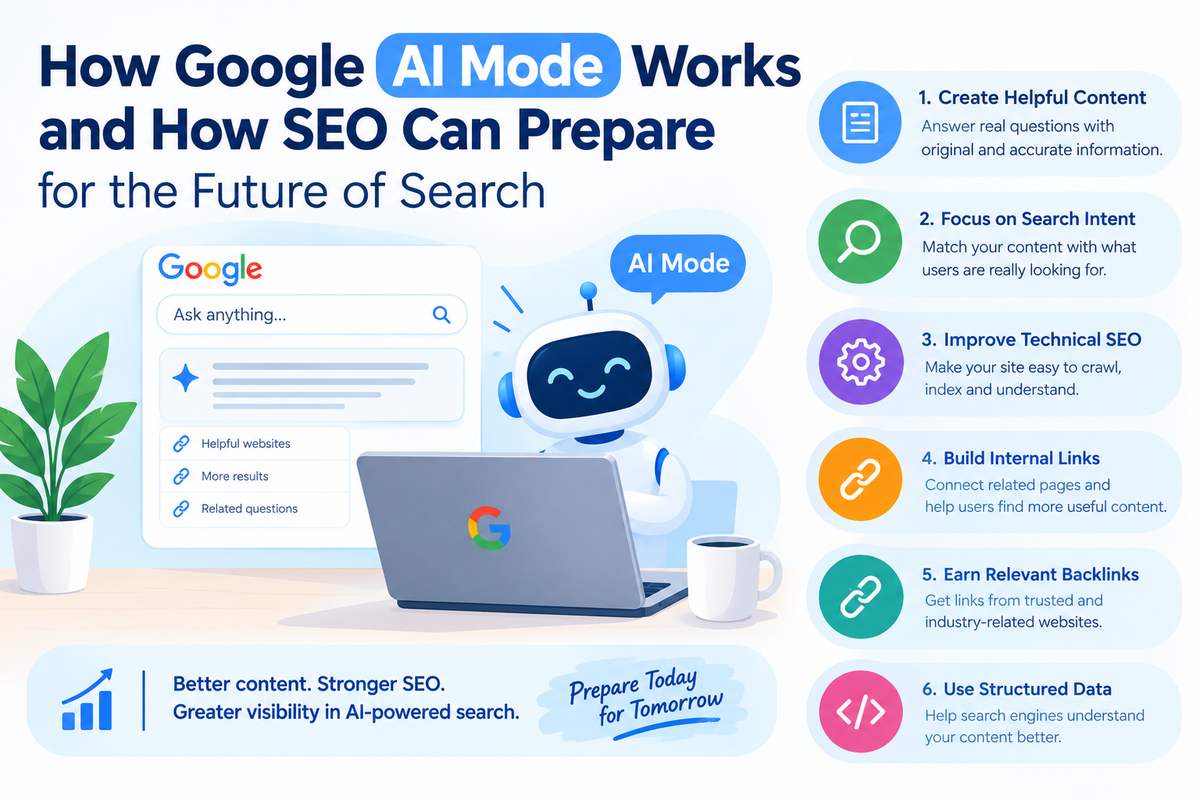
How Google AI Mode Works and How SEO Can Prepare for the Future of Search

Google Search is changing as artificial intelligence becomes a bigger part of how people find information online. Instead of showing only a list of websites, Google can now provide AI-generated answers with links to relevant sources.

One important development is Google AI Mode, which helps users explore complex questions, compare options, and ask follow-up questions without starting a completely new search each time.

For businesses, this creates new opportunities to reach potential customers. Websites need useful content, strong technical SEO, and clear information to improve their chances of appearing in search results and AI-generated answers.

What Is Google AI Mode?

Google AI Mode is an AI-powered search experience that provides detailed answers to users’ questions and links to websites where they can learn more.

For example, someone looking for an SEO agency might ask:

“How do I choose an SEO agency for my small business, and which services should I compare?”

Instead of searching separately for SEO services, pricing, and agency selection tips, the user can explore these topics through one detailed question and follow-up searches.

AI Mode helps users research topics, compare options, and discover information from different sources. However, appearing in an AI-generated answer is not guaranteed for any website.

How Does Google AI Mode Work?

1. It Understands the User’s Question

AI Mode is designed to understand detailed questions, including those involving several requirements.

For example, a user might ask for affordable SEO services for a small business, including technical audits, content optimization, and link building.

The system can use these details to help identify relevant information.

2. It Searches for Related Information

Google uses an approach called query fan-out for its AI search experiences. This allows it to break a complex question into related searches and explore different subtopics.

For example, a question about choosing an SEO agency could involve searches related to technical SEO, link building, pricing, and agency experience.

This approach helps Google explore different aspects of a question and find potentially useful sources.

3. It Generates an AI-Powered Answer

AI Mode combines relevant information to create a response that addresses the user’s question.

The answer may include explanations, comparisons, and suggestions. AI systems can make mistakes, so users should verify important information using reliable sources.

4. It Shows Relevant Website Links

AI Mode can display links to web pages that help users explore a topic in greater detail.

This gives businesses an opportunity to attract visitors through useful content. However, having a page indexed or ranking in traditional search does not guarantee that AI Mode will cite it.

AI Mode vs. Traditional Google Search vs. AI Overviews

These Google Search experiences are related, but they serve different purposes.

FeatureTraditional Google SearchAI OverviewsGoogle AI Mode
Main purposeFind relevant web pagesProvide a quick AI summaryExplore questions in greater depth
ResultsMainly a list of linksAI summary with supporting linksDetailed AI responses with relevant links
Follow-up questionsUsually require another searchDepends on the available experienceDesigned for continued exploration
Best useFinding specific websitesUnderstanding a topic quicklyResearching and comparing options

How Can SEO Prepare for Google AI Mode?

Businesses do not need to abandon traditional SEO. Google recommends following its existing SEO best practices for AI search features. There is no special schema or separate AI optimization requirement that guarantees inclusion.

Here are six practical ways to prepare your website.

1. Create Helpful and Original Content

AI search makes it important to publish content that genuinely helps users rather than simply repeating information available on other websites.

For example, instead of publishing a general article about link building, explain how businesses can evaluate backlink quality, identify relevant websites, and avoid low-quality link-building practices.

You can also include original examples, expert insights, useful comparisons, and clear explanations.

What to do:

  • Answer the main question early in the article.
  • Organize content with clear headings.
  • Include examples that make complex topics easier to understand.
  • Keep facts accurate and update outdated information.
  • Avoid publishing repetitive content simply to target more keywords.

2. Focus on Search Intent

Search intent means understanding what a person wants when they enter a query.

Someone searching for “what is technical SEO” wants an explanation. Someone searching for “technical SEO services” may be looking for a service provider.

Your content should match the purpose behind the search.

What to do:

  • Create informative blogs for users researching a topic.
  • Build service pages for people looking to hire a provider.
  • Answer common customer questions.
  • Avoid creating several pages that repeat the same information.

Matching search intent makes content more useful for readers and supports a stronger SEO strategy.

3. Improve Technical SEO

Your content must be accessible to search engines to have a chance of appearing in search results and AI-powered experiences.

Review your website for common technical issues, such as:

  • Pages blocked from crawling.
  • Important pages missing from Google’s index.
  • Broken internal links.
  • Incorrect redirects or canonical tags.
  • Poor mobile usability and slow page loading.
  • Important content that is difficult for search engines to access.

Use Google Search Console to review indexing and search performance. Crawling tools can help identify technical problems that require attention.

For a broader overview of these issues, read our guide to SEO audit services.

4. Build Strong Internal Links

Internal links connect different pages on your own website. They help visitors discover related information and help search engines find important pages.

For example, a blog about AI search optimization can link to a relevant GEO service page. The service page can then guide visitors toward useful resources or contact information.

What to do:

  • Connect relevant blog posts with related service pages.
  • Use descriptive anchor text that explains the destination.
  • Make important pages easy to reach.
  • Avoid adding links that do not help readers.

Internal links should provide a clear path between related topics. Adding more links is not automatically better; relevance and usefulness matter most.

5. Earn Relevant Backlinks and Build Brand Credibility

Backlinks are links from other websites to your website. They can help people discover your content, bring referral traffic, and contribute to your overall SEO efforts.

Focus on earning links from relevant publications, industry websites, and genuine editorial resources.

You can build these links by publishing original research, sharing expert insights, contributing useful articles, and developing relationships with relevant publishers.

Explore our link building services to learn more about building a quality-focused backlink strategy.

However, there is no guaranteed backlink formula for AI visibility. A large number of links alone does not ensure that Google AI Mode will mention or cite your business.

6. Use Structured Data Correctly

Structured data helps search engines understand specific information on a web page. Depending on the page, it may describe an organization, product, service, or other supported information.

Use relevant schema markup when appropriate and ensure it accurately represents the visible page content.

Do not add unnecessary schema simply because you want to appear in AI-generated answers. Google states that no special structured data is required for AI Overviews or AI Mode.

Structured data can support search engine understanding, but it does not guarantee enhanced results or AI citations.

How Can You Measure SEO Performance in the AI Search Era?

Traditional SEO metrics still matter, but businesses should also consider how people discover and interact with their content.

Useful measurements include:

  • Organic clicks and impressions: Use Google Search Console to review search performance.
  • Organic traffic: Use Google Analytics 4 to understand visits from organic search.
  • Keyword visibility: Monitor important search terms and landing pages.
  • Conversions: Track inquiries, contact form submissions, calls, and other business actions.
  • AI search visibility: Where reliable reporting is available, monitor brand mentions, citations, and referral visits from AI platforms.

Do not rely on one metric alone. More visibility is valuable when it helps the right audience find useful information and take meaningful action.

Common SEO Mistakes to Avoid

Businesses may be tempted to try shortcuts as AI search develops. Avoid these common mistakes:

  • Publishing large amounts of repetitive, low-value content.
  • Adding keywords unnaturally to every paragraph.
  • Buying low-quality backlinks to increase link counts.
  • Adding schema that does not match visible content.
  • Assuming that special AI markup guarantees inclusion.
  • Making claims that are not supported by evidence.

Instead, focus on useful content, accurate information, accessible pages, and sustainable SEO practices.

Conclusion

Google AI Mode is changing how people explore information, compare services, and discover websites. Businesses can prepare by understanding their audiences, publishing helpful content, maintaining sound technical SEO, improving internal linking, and earning relevant backlinks.

There is no guaranteed way to make a website appear in every AI-generated answer. The practical approach is to make your website easy to discover, useful to readers, and trustworthy in its subject area.

SEO Outsourcing Company USA helps businesses strengthen their online presence through SEO audits, link building, and content optimization. A consistent, quality-focused strategy can build a stronger foundation for traditional search and help businesses prepare for the continuing development of AI-powered search.

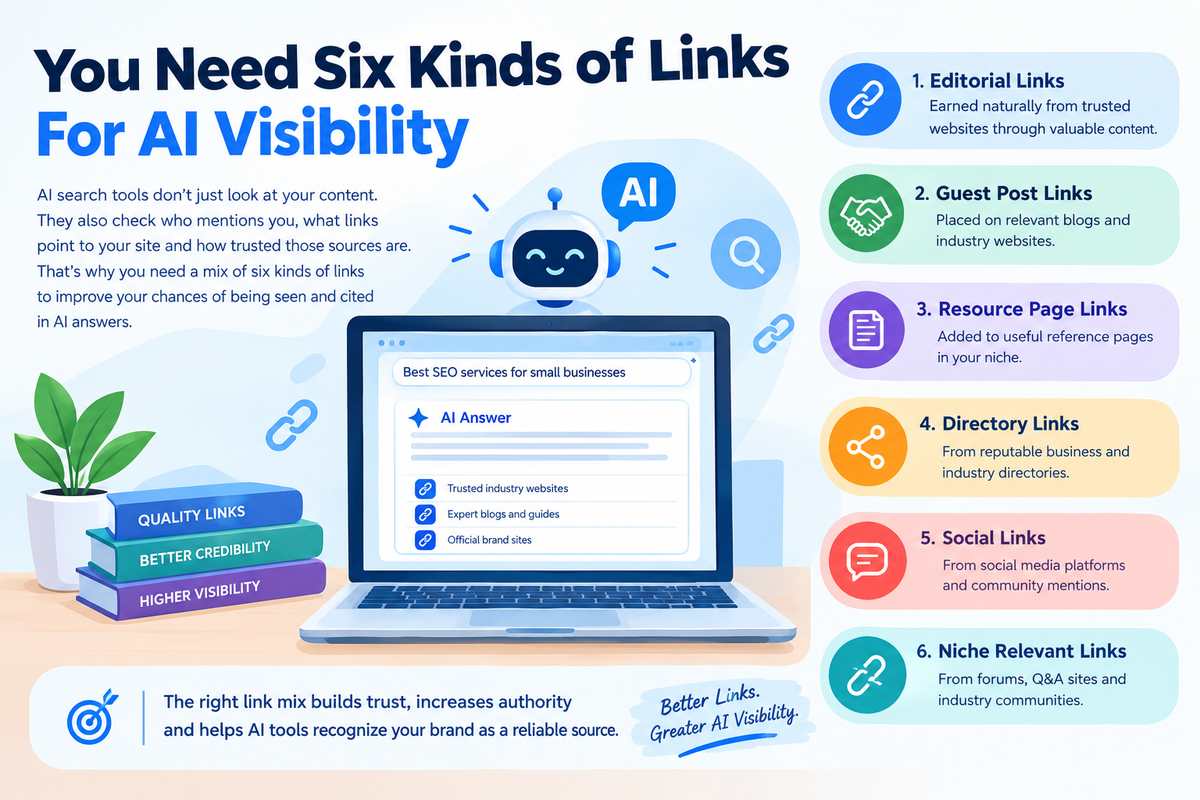
Six Types of Links That Improve AI Visibility

You Need Six Kinds of Links for AI Visibility

AI search is changing how people discover businesses, products, and services. Instead of showing only a list of websites, AI-powered search tools can summarize information and mention sources that help answer a user’s question.

For businesses, this creates a new challenge: getting discovered in both traditional search results and AI-generated answers.

Links can support this goal by helping search engines discover pages, understand connections between websites, and find relevant information. However, AI visibility depends on several factors, including content quality, relevance, accuracy, and how well a website answers users’ questions.

Here are six kinds of links worth considering for a stronger AI visibility strategy.

1. Editorial Backlinks

Editorial backlinks are links that other websites include naturally in their content because they find your information useful.

For example, a marketing website might link to your original research, industry report, or detailed guide while explaining an SEO topic.

Why they matter:

  • They can help establish your website’s reputation.
  • They can bring relevant visitors to your pages.
  • They help connect your content with trusted industry sources.

How to earn them: Publish original research, useful statistics, expert commentary, and detailed guides that other websites have a reason to reference.

2. Links From Relevant Industry Websites

A link from a website related to your industry can be more useful than a link from an unrelated website.

For example, an SEO agency may benefit from relevant digital marketing publications, marketing blogs, and software resource websites.

Why they matter:

  • They connect your business with its relevant subject area.
  • They can introduce your website to the right audience.
  • They support a more natural and relevant backlink profile.

How to build them: Identify websites that cover your industry. Offer useful contributions, share expert insights, or create content that answers questions their readers commonly ask.

Remember that relevance and editorial value matter more than simply collecting links.

3. Brand Mentions and Linked References

Your business may be mentioned online without a clickable link. These are often called unlinked brand mentions.

For example, a marketing publication might mention SEO Outsourcing Company USA while discussing SEO services.

A linked mention gives readers a direct route to your website. An unlinked mention does not provide that same navigation path.

Why they matter:

  • They can increase awareness of your brand.
  • They may help people discover your business.
  • Relevant third-party coverage can strengthen your overall online presence.

What to do: Monitor brand mentions and contact publishers when adding a link would genuinely help their readers. Do not assume that every unlinked mention directly improves AI rankings or citations.

4. Links From Trusted Publications

Coverage from established publications can help people learn about your business through credible sources.

For example, an industry publication might quote your team in an article about search trends or link to your original research.

Why they matter:

  • They can expose your brand to a wider audience.
  • They may send relevant referral traffic.
  • They can provide independent context about your expertise.

How to earn them: Share original findings, offer useful expert comments, and respond to relevant journalist requests. Focus on genuine editorial coverage instead of paying for links that exist only to manipulate rankings.

A publication’s reputation alone does not guarantee that an AI system will cite your business.

5. Internal Links Between Related Pages

Internal links connect different pages on your own website.

For example, an article about AI search optimization could link to your GEO services page, while the services page could link to a detailed guide explaining your approach.

Why they matter:

  • They help visitors find related information.
  • They help search engines discover and understand important pages.
  • They create clearer connections between topics and services.

How to improve them: Link relevant blog posts to useful service pages. Use descriptive anchor text, keep important pages accessible, and avoid adding links that do not help the reader.

Internal links are within your control, making them a practical part of your AI and traditional SEO strategy.

6. Links From Relevant Directories and Business Profiles

Business directories and professional profiles can help people find your company and verify basic information.

Examples include relevant industry directories, professional association listings, and established business profiles.

Why they matter:

  • They can improve business discoverability.
  • They may provide referral visits.
  • Consistent business details can help people verify your company.

How to build them: Choose reputable platforms relevant to your industry or location. Keep your company name, website, services, and contact details accurate.

Avoid submitting your website to hundreds of low-quality directories just to create backlinks. Quality, relevance, and accuracy are more important than the number of listings.

How to Use These Six Link Types Together

You do not need to build all six types at once. Start with a practical plan:

  1. Improve your website: Create helpful, accurate content and connect related pages with internal links.
  2. Build relevant relationships: Reach out to industry websites and publications that cover your subject.
  3. Earn editorial coverage: Share original research, expert insights, and useful resources.
  4. Maintain business profiles: Keep your company information consistent across reputable platforms.
  5. Monitor your mentions: Find relevant brand mentions and identify opportunities for useful links.
  6. Review results: Track referring domains, backlink quality, referral visits, search visibility, and relevant brand mentions over time.

Do not judge success only by the number of backlinks. Look at whether the links are relevant, whether they bring useful visitors, and whether your content is becoming easier to discover.

Do Links Directly Improve AI Visibility?

There is no publicly confirmed formula showing that these six link types guarantee citations in AI-generated answers. AI search systems use different methods to retrieve, evaluate, and present information, and their exact processes vary.

Links remain a useful part of a broader strategy, but they should work alongside clear content, factual accuracy, technical accessibility, relevant expertise, and a strong website structure.

Create content that answers real questions, make important pages easy to find, and earn links because your information deserves to be referenced.

Conclusion

AI visibility is not about collecting as many backlinks as possible. It is about building a credible online presence that people and search systems can discover and understand.

Editorial backlinks, industry-relevant links, brand mentions, trusted publication coverage, internal links, and reputable business listings can all play useful roles in that strategy. None guarantees an AI citation, so combine link building with helpful content and sound SEO practices.

SEO Outsourcing Company USA can help businesses strengthen their online presence through link building, content optimization, and SEO services designed to support long-term search visibility. A consistent, quality-focused strategy can help your business build stronger connections across the web.

Does FAQ Schema Still Matter

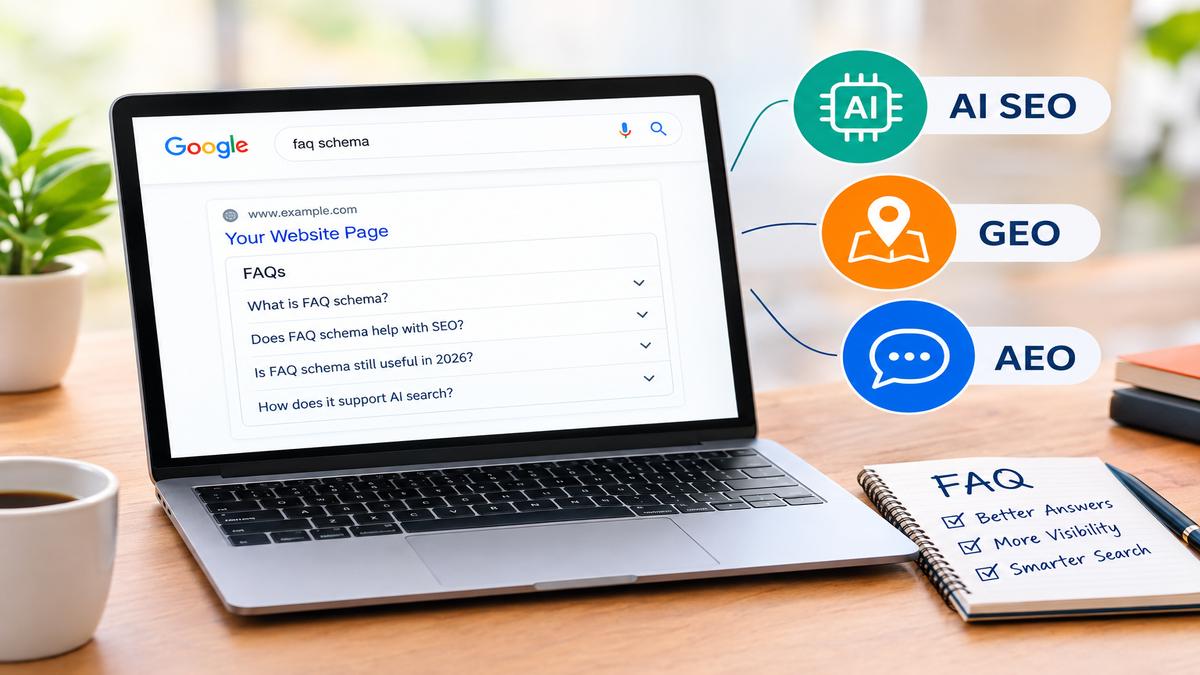
Does FAQ Schema Still Matter in 2026? What It Means for AI SEO, GEO and AEO

SEO keeps changing as Google updates its search results and people start using AI tools to find information. Earlier, websites could use FAQ schema to make their search results look bigger by showing questions and answers directly under a page listing. This helped websites take up more space on the search results page and gave users quick answers.

However, Google changed how FAQ rich results are displayed. Since August 2023, FAQ rich results have generally been limited to well-known, authoritative government and health websites. For most other websites, adding FAQ schema no longer means that Google will show expandable questions and answers in search results.

Because of this change, many website owners have started asking an important question. Is FAQ schema still worth using?

The answer is yes, but we need to understand its purpose. FAQ schema should not be used with the expectation of getting the old Google FAQ search appearance. Instead, it can be part of a broader SEO strategy that focuses on clear answers, structured information, AI search, Generative Engine Optimization (GEO), and Answer Engine Optimization (AEO).

In this blog, we will explain FAQ schema in simple words, why Google changed its approach, and how FAQs can still support a website’s search strategy.

What Is FAQ Schema?

FAQ schema is a type of structured data that helps search engines understand questions and their corresponding answers on a webpage.

For example, imagine you have a page about SEO services. At the bottom of the page, you answer questions such as:

What is SEO?

How much do SEO services cost?

How long does SEO take to show results?

Can small businesses benefit from SEO?

These questions and answers help visitors understand your services before contacting you. By adding valid FAQ structured data, you can also describe this content in a format that search engines can process.

FAQ schema uses the FAQPage type from Schema.org. It identifies a page containing a list of questions and answers provided by the website.

However, adding schema does not automatically improve rankings, guarantee rich results, or ensure that an AI platform will use your answers. It is a way to describe existing content, not a shortcut to higher rankings.

Why Is FAQ Schema No Longer a Regular Google Search Feature?

Google introduced FAQ rich results to help users find answers directly from search results. When the feature was widely available, users could expand questions underneath certain listings without visiting the website.

Over time, Google reduced the visibility of this feature. In August 2023, Google announced that FAQ rich results would generally appear only for well-known, authoritative government and health websites.

This meant that most business websites, blogs, agencies, and service providers could no longer expect their FAQ sections to appear as expandable results in Google Search.

There are several important things to understand about this change.

First, FAQ schema did not become invalid simply because Google reduced its rich results. The structured data type still exists.

Second, Google does not promise a ranking boost for websites that use FAQ schema.

Third, the questions and answers can still be valuable to visitors, regardless of whether Google displays a special search feature.

The important lesson is that website owners should focus on creating useful FAQ content rather than adding schema only to obtain a particular search appearance.

Does FAQ Schema Still Matter for SEO?

Yes, FAQ content can still support SEO, even though the old Google FAQ rich result is generally unavailable to most websites.

The main value comes from answering the questions that people actually search for. When a page answers relevant questions clearly, it becomes more useful to readers and can cover more aspects of a topic.

For example, a website offering SEO services can explain what SEO includes, how much it costs, what affects results, and how businesses can measure progress.

These answers can help users understand the service and decide whether it meets their needs.

FAQ sections may also help website owners identify missing information, improve content structure, and address common customer concerns.

However, it is important to separate the value of good FAQ content from the effect of the schema itself. There is no established guarantee that FAQ schema alone improves organic rankings.

A good approach is to write useful answers first and then add structured data when it accurately describes the content on the page.

How Can FAQ Schema Support AI SEO?

AI SEO focuses on making website content useful, understandable, and accessible to modern search systems, including AI-powered search experiences.

AI systems need to process information from many sources. Clear questions, direct answers, descriptive headings, and well-organized content can make a webpage easier for people and automated systems to understand.

FAQ schema can describe question-and-answer content in a structured format. This may provide additional context to systems that process the structured data, depending on the platform and its supported features.

For example, an SEO agency may answer the question, “What is included in a basic SEO package?”

The answer could explain keyword research, basic on-page optimization, technical checks, content recommendations, and reporting, depending on what the package actually offers.

When this information is written clearly and accurately, it helps potential customers understand the service. Structured data can also explicitly identify the question and its answer.

Still, AI SEO is not just about adding schema. High-quality content, accurate information, a technically accessible website, relevant expertise, and a good user experience are all important.

FAQ schema should support these efforts rather than replace them.

How Does FAQ Schema Help with GEO?

GEO stands for Generative Engine Optimization. It focuses on improving the chances that useful website information will be discovered, understood, and potentially referenced in AI-generated answers.

People now use AI tools to ask questions about services, compare businesses, and understand complicated topics. Instead of searching only for short keywords, they may ask complete questions such as, “Which SEO services does a small business need to get more leads?”

This creates an opportunity for websites to provide detailed and direct answers.

FAQ content can support GEO in several ways.

It answers specific questions. A clear answer gives readers the information they need without forcing them to search through a long paragraph.

It provides useful context. Questions and answers can explain a service, product, process, or topic in simple language.

It supports organized information. FAQ sections help separate different questions, making the page easier to navigate and understand.

It addresses real user concerns. Answers about pricing, timelines, benefits, and limitations can make website content more useful.

FAQ schema adds a structured description of the questions and answers where supported. However, there is no guarantee that adding it will make an AI system cite, recommend, or mention your website.

AI platforms use different systems to discover and select information. Their results may depend on content relevance, source quality, accessibility, freshness, and other factors.

For this reason, the best GEO strategy is to publish trustworthy content that answers questions well and use schema accurately when appropriate.

How Does FAQ Schema Support AEO?

AEO stands for Answer Engine Optimization. Its purpose is to make website content useful for systems that provide direct answers to users’ questions.

Traditional SEO often focuses on helping a webpage rank for a search query. AEO also considers how clearly a webpage answers a question.

For example, someone might ask, “How long does SEO take to show results?”

A helpful answer would explain that SEO timelines vary depending on competition, website condition, content quality, and the work being done. It could also clarify that meaningful improvements may take several months and are not guaranteed.

This type of answer is more useful than a vague statement promising instant rankings.

FAQ sections can help with AEO because they allow website owners to address specific questions directly. Visitors can quickly find answers, and the content can cover common questions related to the main topic.

Adding FAQ schema can provide structured information about those questions and answers. Nevertheless, the schema itself does not guarantee that Google or another answer engine will select the content for a direct answer.

The goal should be to make the answer clear, accurate, relevant, and easy to understand.

Does FAQ Schema Help Websites Appear in AI Overviews?

This is one of the most common questions website owners ask.

Google AI Overviews can provide AI-generated summaries in search results, sometimes with links to supporting websites. Many businesses want their content to appear as a source in these results.

However, FAQ schema is not a confirmed shortcut to appearing in AI Overviews.

Google’s guidance for AI features emphasizes the same general foundations that support search visibility, including helpful content, technical accessibility, and the ability of Google to index the page. There is no special FAQ schema requirement that guarantees inclusion in AI Overviews.

You should still create FAQ sections when they genuinely help visitors. Use structured data if it accurately represents your visible content and follows the relevant guidelines.

For better overall search visibility, focus on answering the user’s question completely, supporting important claims with reliable information, using clear headings, and maintaining a technically sound website.

These practices can support a stronger search strategy without depending on one specific Google feature.

FAQ Schema vs. FAQ Content: What Is the Difference?

Some website owners treat FAQ schema and FAQ content as the same thing, but they serve different purposes.

FAQ content is the actual list of questions and answers that visitors can read on a webpage.

FAQ schema is structured data that describes that content in a format that supported search engines and other systems can process.

For example, a page might contain the question, “What is technical SEO?” followed by a simple explanation.

The visible question and answer are the content. The corresponding FAQPage structured data describes that question and answer for systems that understand the format.

A website can have an excellent FAQ section without FAQ schema. Similarly, adding schema to poor, misleading, or irrelevant answers will not make the content useful.

This is why content quality should come first.

FAQ contentFAQ schema
Written for website visitorsStructured information for supported systems
Helps answer customer questionsDescribes the question-and-answer structure
Can improve page usefulnessDoes not guarantee rankings or rich results
Should be clear and accurateMust match the visible page content

Both can work together, but neither should be treated as a replacement for a complete SEO strategy.

How to Use FAQ Schema Correctly in 2026

If you want to use FAQ schema on your website, follow a simple process.

1. Find questions your audience actually asks.

Think about the questions customers ask before purchasing your product or service. You can also review customer emails, sales conversations, relevant search queries, and support requests.

2. Write answers in simple language.

Answer the question directly. Add extra details where they are useful, but avoid unnecessary repetition and complicated wording.

3. Keep the content relevant to the page.

If your page is about SEO services, your FAQs should focus on SEO pricing, deliverables, timelines, reporting, or related concerns. Avoid adding unrelated questions just to increase the number of FAQs.

4. Make the questions and answers visible.

Your structured data should accurately represent the content available to users on the page. Do not add hidden or misleading answers that do not match the visible content.

5. Use the correct structured data type.

FAQPage is intended for pages containing a list of questions and answers provided by the website. It is not the same as QAPage, which is designed for pages where users can submit alternative answers to a question.

6. Validate your implementation.

Use the Schema.org Validator to check your structured data. Google’s Rich Results Test can help test supported rich-result types, although ordinary FAQ schema on a typical business website will not qualify for Google’s FAQ rich results under its current restrictions.

7. Monitor your website’s performance.

Review organic traffic, relevant search queries, conversions, and user engagement where available. Do not assume that adding FAQ schema caused a ranking change without evidence.

Remember that schema should be maintained when the page content changes. Outdated answers can confuse visitors and reduce the usefulness of your website.

Common Mistakes to Avoid When Using FAQ Schema

Even though FAQ schema can be useful, incorrect implementation can create problems. Here are some common mistakes to avoid.

Adding FAQs only for search engines. Every question should serve a real purpose. Do not create unnecessary questions just because you think more schema will improve rankings.

Using the same FAQs on every page. Repeating identical questions across multiple service pages may not help users. Create questions that match each page’s purpose.

Adding answers that are not visible. Structured data should accurately reflect the content users can access on the page.

Expecting instant ranking improvements. FAQ schema is not a ranking guarantee. Results depend on many factors, including content relevance, competition, website quality, and search engine systems.

Ignoring other schema types. Depending on your website, Organization, LocalBusiness, Article, Product, or other relevant structured data may be appropriate. Choose schema based on the actual content and purpose of each page.

Promising AI visibility. No SEO agency can guarantee that FAQ schema will make a website appear in AI Overviews, ChatGPT responses, or other AI-generated answers.

The best approach is to use structured data accurately and focus on creating content that genuinely helps your audience.

Should You Remove FAQ Schema From Your Website?

Not necessarily. The decision depends on how you use it.

If your FAQ section answers useful customer questions, you can keep that content even if Google does not display FAQ rich results for your website.

If your FAQ schema correctly describes visible questions and answers, there may be a reason to retain it as part of your structured data implementation. However, you should not expect a direct ranking benefit or assume that every AI platform uses it.

If your website contains outdated, irrelevant, or incorrectly implemented FAQ markup, review and correct it.

For a business website, the priority should be clear service information, helpful answers, accurate business details, and technically sound structured data.

You should also avoid spending too much time adding schema while ignoring important SEO tasks such as improving service pages, fixing crawlability issues, creating useful content, and making the website easy to navigate.

A balanced strategy is more valuable than depending on one markup type.

The Future of FAQ Schema in AI SEO, GEO, and AEO

Search is moving beyond traditional blue links. Search engines and AI platforms are introducing more ways for users to receive direct answers, compare services, and explore topics through conversations.

This makes clear, well-organized website content increasingly important.

FAQ sections are a practical way to answer specific questions. They can help businesses explain complicated services, address objections, clarify pricing, and provide information that visitors need before making a decision.

FAQ schema can describe that content in a structured format, where supported. However, it is important to understand that structured data is only one part of a broader strategy.

The future of SEO is not about adding as much schema as possible. It is about helping search systems and people understand what your business offers, why your information is useful, and how your content addresses a real need.

Businesses should focus on strong content, relevant keywords, clear answers, trustworthy information, technical SEO, and appropriate structured data.

When these elements work together, a website is better prepared for changing search experiences.

Conclusion

FAQ schema may no longer provide the regular Google FAQ rich results that many websites once expected, but FAQ content still has an important role in modern SEO. Well-written questions and answers can help visitors understand your services, find information quickly, and make better decisions.

For AI SEO, GEO, and AEO, the focus should be on creating helpful answers, organizing information clearly, and implementing structured data correctly. FAQ schema can support this approach, but it does not guarantee better rankings or visibility in AI-generated responses.

At SEO Outsourcing Company USA, we help businesses build SEO strategies that focus on more than traditional keyword rankings. Our services include AI SEO, Generative Engine Optimization (GEO), Answer Engine Optimization (AEO), technical SEO, and structured data optimization.

If you want to prepare your website for modern search and AI-powered discovery, choose SEO Outsourcing Company USA. We can help you improve your website’s content, technical foundation, and overall search strategy so your business has a stronger opportunity to attract relevant visitors and turn them into leads.

Frequently Asked Questions

Is FAQ schema still useful in 2026?

FAQ schema remains a valid structured data type. Although Google generally limits FAQ rich results to authoritative government and health websites, FAQ content can still help visitors find answers. The markup should accurately describe visible content, and its use does not guarantee improved rankings.

Does FAQ schema improve AI SEO?

FAQ schema can describe questions and answers in a structured format for systems that support it. However, there is no guarantee that adding FAQ schema alone will improve AI search visibility. Useful content, accessibility, and relevant information remain important.

Does FAQ schema help with GEO?

FAQ content can support GEO by providing clear answers to specific questions. FAQ schema may add structured context, depending on the system processing it, but it does not guarantee that an AI platform will cite or recommend your website.

4. Should I use FAQ schema for AEO?

You can use FAQ schema when your page genuinely contains relevant questions and answers. Write direct, accurate answers and ensure the markup matches the visible content. Do not rely on schema alone to obtain direct answers in search results.

5. Can FAQ schema increase Google rankings?

Google does not promise a ranking boost from FAQ schema. Focus on useful content, search intent, technical SEO, and a good user experience. Use structured data to describe your content accurately rather than as a ranking shortcut.

does domain age matter in SEO

Does Domain Age Matter in SEO? What Website Owners Should Know

When starting a new website, one common question business owners ask is whether an older domain has an advantage over a newly registered domain in Google search results. Some people believe that a website registered ten years ago will automatically rank higher than a website registered last month. Others think buying an expired domain is the fastest way to improve SEO.

But does domain age matter in SEO, or are other factors more important?

The truth is that domain age alone does not determine Google rankings. An older domain may have useful content, relevant backlinks, and an established online presence, but its age does not automatically make it better than a new website. A new domain can also achieve strong search visibility when it provides valuable content, a good user experience, and a well-planned SEO strategy.

In this blog, we will explain what domain age means, how it relates to SEO, whether old domains rank better, and what you can do to improve your website’s organic visibility.

What Is Domain Age in SEO?

Domain age refers to how long a domain name has existed since its registration. For example, if a domain was first registered in 2016 and the current date is 2026, it may be described as a ten-year-old domain, depending on its registration history.

A domain name is the address people use to visit a website, such as example.com.

However, domain age and website age are not necessarily the same thing. A domain may have been registered several years before a website was built on it. Similarly, a domain may have changed owners, hosted different businesses, or remained inactive for a long period.

This distinction is important because the registration date alone does not explain the website’s SEO history.

An older domain might have years of relevant content and references from other websites. Another domain of the same age might have never hosted a functioning website.

Therefore, when evaluating a domain for SEO, you should look beyond its registration date and examine its actual history, content, backlinks, and current condition.

Does Domain Age Matter in SEO?

No, domain age by itself is not a direct Google ranking factor. Google has explained that the age of a domain name is not a factor used to determine search rankings.

This means that registering a domain ten years ago does not automatically give a website a ranking advantage over a domain registered recently.

However, older websites sometimes perform better because they have accumulated useful content, relevant backlinks, brand recognition, and search visibility over time.

For example, imagine two businesses selling the same type of product.

The first business has operated its website for eight years. It has published helpful articles, earned links from relevant websites, and built a reputation among its customers.

The second business launched its website two months ago. It has only a few pages and has not yet developed an online presence.

The older website may have an advantage, but that advantage is not simply its age. It comes from the work, reputation, and useful resources associated with the website.

If the new website develops better content, provides a stronger user experience, and earns relevant links, it can compete for valuable search queries.

Why Do Older Domains Sometimes Rank Better?

Although domain age itself does not guarantee rankings, several factors associated with established websites can influence their search performance.

1. Established Backlink Profile

An older website may have earned links from relevant blogs, publications, industry websites, and other trusted sources.

These links can help search engines discover pages and understand their relationships with other content across the web.

However, not all backlinks are valuable. A website with thousands of irrelevant or manipulative links may be in a worse position than a newer website with a smaller number of relevant, naturally earned links.

If you own an older domain, review its backlink profile instead of assuming that every historical link benefits your website.

2. More Useful Content

Websites that have been actively maintained for years may contain detailed service pages, informative articles, product descriptions, and answers to customer questions.

This content can help them appear for a broader range of relevant search queries.

A new website can develop the same opportunity by publishing original, useful content that meets the needs of its target audience.

The goal should not be to publish hundreds of pages simply to make the website look established. Each page should serve a clear purpose.

3. Brand Recognition and Trust

A business that has maintained a consistent online presence may already be known to its customers.

People might search for its brand name, visit its website directly, mention it in articles, or recommend its services to others.

These activities can support its overall online presence.

However, an old domain does not automatically create trust. A website still needs accurate information, reliable services, transparent business details, and a good experience for visitors.

4. Better Website Structure

An established website may have developed a logical structure over time, with relevant internal links connecting its service pages, categories, and articles.

This structure helps visitors navigate the website and helps search engines discover related pages.

A new website can build a strong structure from the beginning by organizing its main services, categories, and supporting content logically.

You do not need to wait several years to implement good website architecture.

Can a New Domain Rank on Google?

Yes, a new domain can rank on Google.

A newly launched website does not need to wait until its domain reaches a certain age before it can appear in search results.

However, a new website may need time to be discovered, crawled, indexed, and evaluated. Competitive keywords can also be difficult to target because established websites may already have strong content and relevant authority.

Here are some practical steps that can help a new domain build search visibility.

First, create useful pages that explain your products or services clearly. Make sure each important page targets a relevant topic and provides information that visitors actually need.

Second, review your technical SEO. Check whether search engines can access your important pages, whether your XML sitemap is configured correctly, and whether unnecessary indexing restrictions are blocking valuable content.

Third, perform keyword research to identify realistic opportunities. Instead of targeting only highly competitive terms, consider specific searches that reflect your audience’s questions and requirements.

Fourth, develop relevant internal links between related pages. This helps visitors explore your website and gives search engines additional paths for discovering content.

Finally, monitor your performance using Google Search Console and other suitable analytics tools.

A new domain may not achieve strong rankings immediately, but consistent improvements can help it develop over time.

Does Buying an Old Domain Improve SEO?

Buying an old domain can sometimes be useful, but its age alone is not a good reason to purchase it.

Some businesses acquire existing domains because they have a relevant name, an established brand, useful content, or a history that supports the new website’s purpose.

However, an old domain may also come with problems.

It could have a history of spam, irrelevant backlinks, hacked content, misleading redirects, or previous use for a completely different topic.

For example, imagine buying a domain that previously hosted a legitimate education website and then using it for an unrelated online store. Its previous history does not automatically transfer useful search visibility to the new business.

Before purchasing an old domain, review its historical content, backlink profile, previous ownership where available, and existing search visibility.

Check whether its previous purpose is relevant to your intended website. You should also investigate manual actions and other known issues where possible.

An old domain is worth considering because of its relevant history and existing value, not merely because it was registered many years ago.

Does an Expired Domain Have an SEO Advantage?

An expired domain is a domain whose previous registration has ended and which may become available for someone else to register.

Some expired domains have useful histories, but others have little value.

An expired domain may have previously hosted quality content and earned relevant links. It may also have been used for spam, automated content, or unrelated websites.

Even when an expired domain has backlinks, you should not assume that those links will provide a ranking advantage after the domain is registered again.

Google’s spam policies address attempts to manipulate search rankings through expired domain abuse. This includes purchasing an expired domain and repurposing it primarily to benefit from its previous reputation with content that offers little value to users.

If you are considering an expired domain, evaluate its relevance, historical use, link quality, and suitability for your business.

Building a website around a genuine business purpose is a more sustainable strategy than relying on an old domain’s registration date.

How Can You Check Your Domain’s Age?

You can investigate a domain’s registration history using several online resources.

A WHOIS lookup tool can provide registration details, although privacy protection and registry policies may limit the information available.

An internet archive service can help you examine historical versions of a website and understand how its content has changed.

Backlink analysis tools can show links pointing to a domain and help you investigate whether those links appear relevant and natural.

Google Search Console can provide information about your verified website’s indexing and search performance. However, it does not provide a simple domain-age score that determines ranking potential.

Remember that these tools answer different questions. Registration records help establish domain history, archives show historical website content, and backlink tools examine link profiles.

No single tool can tell you that an old domain will automatically rank well.

What Matters More Than Domain Age in SEO?

If you want to improve your website’s rankings, focus on factors that support discoverability, relevance, usefulness, and a positive experience for visitors.

High-Quality Content

Publish content that answers customer questions, explains your services, and provides useful information. Avoid copying content from competitors or creating pages solely to repeat keywords.

Search Intent

Understand what people want when they search for a particular phrase. Someone looking for an SEO agency may want to compare providers, while someone searching for an SEO audit may be looking for a technical review of their website.

Your content should match the purpose behind the search.

Technical SEO

Make sure important pages can be crawled and indexed. Fix broken links, review redirects, improve internal linking, and address technical problems that prevent search engines or visitors from accessing your content.

Relevant Backlinks

Work toward earning links from relevant and trustworthy websites through useful content, genuine industry relationships, and legitimate digital PR activities.

Avoid relying on bulk links or unrelated link-building schemes.

User Experience

Your website should be easy to navigate, mobile-friendly, readable, and clear about what it offers.

Visitors should be able to understand your services and find the information they need without unnecessary difficulty.

Consistent Improvement

SEO is not a one-time task. Review your search performance, identify pages that need improvement, update outdated information, and make changes based on evidence.

These activities can help both new and established websites develop stronger organic visibility.

Should You Change Your Domain Because It Is Too New?

In most cases, no.

If you have recently launched your website, changing the domain simply because it is new is unlikely to solve your SEO challenges.

A domain change can introduce additional work, including redirect mapping, canonical updates, internal link changes, sitemap revisions, and Search Console monitoring.

If your current domain represents your business well and does not have significant problems, it is generally more practical to focus on improving the website.

Consider changing domains only when there is a meaningful business reason, such as a rebrand, a legal issue, or a domain name that no longer fits your business.

If you do change domains, plan the migration carefully to reduce the risk of losing existing search visibility.

Conclusion

So, does domain age matter in SEO? The answer is that domain age alone does not determine Google rankings. An older website may benefit from its established content, relevant backlinks, and online reputation, but a new domain can also achieve strong search visibility with the right strategy.

Whether your website is one month old or ten years old, the important thing is to understand its current condition, identify opportunities, fix technical issues, create useful content, and attract the right audience.

If you have an old or new website, SEO Outsourcing Company USA can help you work toward making every website a lead machine. Our SEO services focus on improving search visibility, strengthening website optimization, and helping businesses attract relevant visitors who may become customers. From technical SEO and content optimization to AI SEO, GEO, and AEO, we help businesses identify opportunities for sustainable online growth.

Choose SEO Outsourcing Company USA to develop an SEO strategy around your business goals and turn your website into a stronger source of enquiries and potential leads.

Frequently Asked Questions

Does domain age affect Google rankings?

Domain age alone is not a direct Google ranking factor. Older domains may have useful content, relevant backlinks, and established reputations, but a new domain can also rank well with effective SEO.

How old should a domain be for SEO?

There is no minimum domain age required to rank on Google. A new domain can appear in search results once its pages are discovered and indexed, although achieving competitive rankings may take time.

Is a ten-year-old domain better than a new domain?

Not necessarily. A ten-year-old domain with relevant content and a strong history may have advantages over a new domain, but an inactive or spam-associated old domain may offer little value.

Should I buy an expired domain to improve SEO?

Only consider an expired domain after evaluating its historical content, relevance, backlink profile, and potential problems. Its age alone does not guarantee rankings or SEO benefits.

How can I improve SEO on a new website?

Start with keyword research, useful content, technical SEO, logical internal linking, mobile usability, and relevant link earning. Monitor indexing and search performance through Google Search Console, then improve your strategy consistently.

Best SEO Company in Colorado

Best SEO Company in Colorado

Finding the best SEO company in Colorado can help your business reach more customers, improve Google rankings, and generate quality leads. Whether you run a local business in Denver, Colorado Springs, Boulder, Fort Collins, or another part of Colorado, search engine optimization can help people discover your products and services online.

However, choosing an SEO company is not just about finding an agency that promises first-page rankings. You need a team that understands your business goals, target audience, competition, and long-term growth plans.

In this blog, we will explain what makes an SEO company the right choice for Colorado businesses, which services you should look for, and how to select an SEO partner that fits your budget.

Why Do Colorado Businesses Need SEO Services?

Customers often search on Google before choosing a local service provider, shopping online, or contacting a company. If your website does not appear when potential customers search for your services, you may miss valuable business opportunities.

SEO helps improve your website’s visibility for relevant search queries. It also helps search engines understand your website content and connect it with users looking for your products or services.

For example, a business in Denver may want to rank for terms such as SEO services in Denver, digital marketing agency in Colorado, or the specific services it provides.

A well-planned SEO strategy can help Colorado businesses attract relevant website traffic, improve online visibility, build trust, and generate enquiries over time.

What Makes the Best SEO Company in Colorado?

The best SEO company for your business should offer more than basic keyword placement. It should understand your industry, analyze your competitors, and develop a strategy based on your actual goals.

Here are some important factors to consider when choosing an SEO agency.

1. Experience in SEO and Digital Marketing

Experience matters because SEO involves multiple activities, including keyword research, website optimization, technical improvements, content development, and authority building.

An experienced SEO team can identify website problems, understand search intent, and create a strategy that supports your business goals.

Before hiring an agency, review its services, previous work, case studies, and experience with businesses similar to yours. Ask how it measures success instead of relying only on promises about rankings.

2. Keyword Research and Competitor Analysis

Keyword research helps identify the terms your potential customers use when searching online.

For Colorado businesses, keyword targeting may include state-level searches, city-specific keywords, industry-related terms, and queries from customers who are ready to make a purchase.

A good SEO company also studies competing websites to understand their content, search visibility, website structure, and ranking opportunities.

This information helps create a strategy that targets relevant searches rather than attracting visitors who are unlikely to become customers.

3. Technical SEO Services

Technical SEO helps search engines crawl, understand, and index your website correctly.

A reliable SEO agency should be able to identify issues such as broken links, duplicate pages, indexing problems, incorrect redirects, slow-loading pages, and poor website structure.

It should also review XML sitemaps, robots.txt settings, canonical tags, mobile usability, and structured data where relevant.

Fixing technical problems can make your website easier to access and understand for both search engines and users.

4. On-Page SEO and Content Optimization

On-page SEO focuses on improving individual website pages so they clearly communicate their purpose and meet user expectations.

This includes optimizing title tags, meta descriptions, headings, URLs, internal links, images, and page content.

For example, a Colorado roofing company should have useful service pages that explain its roofing solutions, service coverage, process, and reasons customers may choose the business.

The content should answer real customer questions naturally. Repeating the same keyword excessively does not create a strong SEO strategy.

5. Local SEO for Colorado Businesses

Local SEO is especially important for businesses that serve customers in specific cities or geographical areas.

A suitable agency can help optimize your Google Business Profile, maintain accurate business information, improve local landing pages, manage review strategies, and strengthen relevant local signals.

If your business serves Denver and surrounding communities, your website should clearly explain which areas you cover. Create location pages only when you can provide useful, relevant information for those locations.

The objective is to help nearby customers discover your business when they search for relevant products or services.

6. AI SEO, GEO, and AEO Services

Search is evolving beyond traditional search engine results. Businesses are increasingly interested in how their content appears in AI-powered search experiences and answer platforms.

An SEO company offering modern optimization services may include:

AI SEO: Improving website content and structure to support discoverability across evolving AI-powered search experiences.

Generative Engine Optimization (GEO): Improving the clarity, usefulness, credibility, and structure of content so it has a better opportunity to be referenced in generative AI responses.

Answer Engine Optimization (AEO): Creating clear answers to common questions and organizing information so search engines and answer-focused systems can understand it.

These services can complement traditional SEO. However, no agency can guarantee that a website will be cited by a particular AI platform or appear in every generated answer.

7. Transparent Reporting and Communication

A trustworthy SEO company should explain what work it performs and how it evaluates progress.

Reports may include organic traffic, keyword visibility, indexed pages, conversions, enquiries, and other metrics relevant to your business.

You should also understand which tasks are included in your monthly package and which services may cost extra.

Avoid agencies that guarantee specific rankings without explaining their strategy or promise instant results from questionable SEO practices.

Which SEO Services Should You Expect?

When comparing the best SEO companies in Colorado, look for services that match your website’s current needs.

SEO serviceWhat it helps with
Keyword researchFinding relevant search opportunities
Technical SEOIdentifying crawling, indexing, and website issues
On-page SEOImproving page structure, titles, headings, and content
Content optimizationAnswering customer questions and matching search intent
Local SEOImproving visibility for relevant local searches
Link buildingEarning relevant, trustworthy website links
E-commerce SEOImproving product and category page visibility
AI SEO, GEO, and AEOSupporting discoverability across evolving search experiences
SEO reportingTracking visibility, traffic, leads, and progress

Not every business needs every service immediately. A professional agency should prioritize tasks based on your website condition, competition, available budget, and growth objectives.

How Much Does SEO Cost in Colorado?

SEO pricing depends on the size of your website, industry competition, target locations, campaign goals, and the amount of work required.

Small businesses may need a focused local SEO campaign, while competitive industries and larger websites may require more extensive technical optimization, content development, and ongoing SEO work.

Some agencies offer monthly packages, while others provide project-based audits or customized services.

Before selecting a package, ask for a clear breakdown of deliverables. A low-cost plan may be appropriate for a limited set of tasks, but it may not include the resources needed for a highly competitive market.

Compare the actual work included rather than choosing an agency based only on its monthly price.

Common SEO Mistakes Colorado Businesses Should Avoid

Choosing the wrong SEO partner can waste both time and money. Watch out for these common problems.

Guaranteed rankings: No legitimate SEO company can guarantee a specific Google ranking because search results are influenced by many changing factors.

Keyword stuffing: Excessive repetition of keywords makes content unnatural and can harm the user experience.

Irrelevant backlinks: Purchasing large quantities of unrelated or manipulative links can create SEO risks instead of sustainable growth.

Duplicate location pages: Publishing many nearly identical city pages without meaningful local information provides little value to visitors.

Ignoring technical SEO: Even useful content can struggle if important pages cannot be crawled or indexed correctly.

No clear reporting: If an agency cannot explain its work or show relevant progress, it becomes difficult to evaluate its performance.

Choose an SEO partner that focuses on useful content, sound technical practices, relevant visibility, and measurable business outcomes.

How to Choose the Right SEO Company for Your Business

Before signing a contract, take time to evaluate the agency’s approach.

First, define your goals. You may want more phone calls, local enquiries, online sales, or organic traffic from customers across Colorado.

Next, ask the agency to review your website and explain its most important SEO opportunities. Its recommendations should be specific to your business rather than a generic list of tasks.

Review its communication process, reporting frequency, pricing, contract terms, and included services. Ask whether you will have a dedicated contact person and how the agency will respond when priorities change.

Finally, make sure the agency uses ethical SEO methods and sets realistic expectations. Organic search growth takes time, and results depend on your website, competition, industry, and the quality of implementation.

The right SEO company should help you understand the process rather than asking you to trust unexplained promises.

Can You Hire an SEO Company Outside Colorado?

Yes. Your SEO provider does not necessarily need a physical office in Colorado to help your business target customers there.

A remote SEO agency can conduct keyword research, analyze competitors, optimize your website, improve content, work on technical issues, and monitor performance from another location.

What matters is whether the agency understands your target market, communicates effectively, and can deliver the services your business requires.

For businesses that want flexible service options, working with an experienced SEO outsourcing company can also be a practical way to access specialized SEO skills without building a large in-house team.

Why Consider SEO Outsourcing Company USA?

SEO Outsourcing Company USA provides SEO-focused digital marketing services for businesses looking to improve their online visibility and organic search performance.

Our approach covers essential SEO activities, including keyword research, on-page optimization, technical SEO, content optimization, and off-page SEO. We also offer services related to AI SEO, Generative Engine Optimization (GEO), and Answer Engine Optimization (AEO).

Businesses targeting Colorado can benefit from a strategy focused on their services, relevant search terms, competitors, and intended customers. Whether you need help improving an existing website or developing a broader organic search strategy, the right combination of SEO activities depends on your business objectives.

SEO outsourcing can also help businesses access specialized expertise and flexible support while avoiding the expense of hiring an entire in-house team.

When evaluating SEO Outsourcing Company USA, discuss your website, target audience, budget, and goals so the recommended services can align with your requirements. As with any SEO provider, review the proposed deliverables and reporting before making a decision.

Conclusion

Finding the best SEO company in Colorado starts with understanding your business goals and choosing an agency that offers the right combination of technical SEO, keyword research, content optimization, local SEO, and modern search optimization services.

Do not rely only on ranking guarantees or low prices. Look for a transparent strategy, relevant experience, ethical practices, and reporting that connects SEO activities with meaningful business outcomes.

If you are looking for professional SEO support for a business targeting Colorado, SEO Outsourcing Company USA can be an option to consider. Explore our SEO services, AI SEO, GEO, and AEO solutions to identify the support that best fits your website and growth goals.

google_business_profile_local_seo

How to Optimize Your Google Business Profile for Local SEO in the USA

If you own a local business in the United States, appearing in Google Search and Google Maps can help potential customers find your services. When someone searches for “plumber near me,” “best dentist in Chicago,” or “SEO agency in New York,” Google may display local business listings alongside organic search results.

A well-optimized Google Business Profile helps customers discover your business, check your hours, read reviews, visit your website, and contact you.

However, simply creating a profile is not enough. You need accurate business information, relevant categories, genuine customer reviews, and a website that supports your local SEO strategy.

In this guide, we will explain how to optimize your Google Business Profile for local SEO in the USA.

What Is Google Business Profile?

Google Business Profile is a free tool that allows eligible businesses to manage how they appear on Google Search and Google Maps.

Depending on the business, a profile may display:

  • Business name and category
  • Business address or service area
  • Phone number and website
  • Business hours
  • Products and services
  • Customer reviews
  • Photos and videos
  • Business updates

Google considers three main factors when determining local search rankings: relevance, distance, and prominence. A complete profile can help Google understand your business, but no optimization technique guarantees a top position.

7 Ways to Optimize Your Google Business Profile for Local SEO

1. Complete Your Business Information

Start by providing accurate information about your business. Include your business name, phone number, website, hours, and address or service area, as applicable.

For US businesses, use the correct local address and telephone number. Keep your information consistent across your website and other trusted business directories.

For example, a roofing company serving Dallas should clearly communicate its actual service area rather than claiming locations where it does not operate.

Avoid adding extra keywords or city names to your business name unless they are part of your real-world business name.

2. Choose the Right Business Category

Your primary category helps Google understand what your business does.

For example:

  • A dental practice should select an appropriate dental category.
  • A plumbing company should choose the relevant plumbing category.
  • A digital marketing agency should select the closest accurate marketing-related category available.

Add secondary categories only when they genuinely describe additional business activities.

Choosing relevant categories helps Google match your profile with suitable searches. Do not select unrelated categories just to reach more potential customers.

3. Write a Local SEO-Friendly Business Description

Your business description should explain what you offer, who you serve, and what customers can expect.

For example, a digital marketing agency in Austin could describe its SEO, content optimization, technical SEO, and link-building services for local businesses and companies across the United States.

Use relevant service terms naturally. Avoid keyword stuffing, promotional claims, URLs, and content that violates Google’s profile guidelines.

Focus on helping potential customers understand why your services are relevant to their needs.

4. Upload High-Quality Photos

Photos help customers recognize your business and understand what you offer.

Depending on your business type, add:

  • Your company logo
  • A suitable cover photo
  • Office or storefront images
  • Team photographs
  • Product images
  • Examples of completed work

For example, a home remodeling company in Florida could upload genuine before-and-after project photos. A restaurant in Chicago could showcase its interior, menu items, and dining area.

Use authentic, clear images that accurately represent your business. Update them when your services, location, or appearance changes.

5. Collect Genuine Customer Reviews

Reviews help potential customers evaluate your business before making a decision. They also contribute to your business’s prominence in local search.

Ask customers to leave honest feedback after completing a purchase or service. You can share your Google review link through follow-up emails or other appropriate customer communications.

Respond professionally to both positive and negative reviews. Thank customers for their feedback and address concerns respectfully.

Never buy reviews, offer incentives in exchange for reviews, or selectively request positive reviews only. These practices can violate Google’s policies.

6. Keep Your Profile Updated

Outdated information can lead to missed calls, unnecessary visits, and frustrated customers.

Review your profile regularly to ensure that:

  • Business hours are correct.
  • Holiday hours are updated.
  • Phone numbers and website links work.
  • Services and business details remain accurate.
  • Announcements and offers are current.

US businesses should pay particular attention to holiday schedules, including Thanksgiving, Christmas, and Independence Day, whenever their hours differ from normal operations.

7. Optimize Your Website for Local Search

Your Google Business Profile should support a broader local SEO strategy.

Improve your website by:

  • Creating dedicated pages for your main services.
  • Mentioning relevant US cities and service areas naturally.
  • Adding accurate contact information.
  • Optimizing title tags, meta descriptions, and headings.
  • Improving mobile usability and page speed.
  • Using internal links to connect related pages.
  • Fixing crawling and indexing problems.
  • Implementing appropriate LocalBusiness structured data when relevant.

For example, a business serving multiple cities may create useful location pages with unique service information for each area. Avoid producing dozens of nearly identical pages just to target different city names.

If your company serves customers remotely across the USA, describe your actual service coverage clearly and follow Google’s eligibility rules for your business type.

How to Track Local SEO Performance

After optimizing your profile, use Google Business Profile’s performance reporting to understand how customers discover and interact with your business.

Depending on available reporting, you may be able to review:

  • Searches that display your profile
  • Views on Google Search and Maps
  • Website clicks
  • Phone calls
  • Direction requests
  • Other customer interactions

You can also use Google Search Console and website analytics to monitor organic search performance and visits from relevant locations.

Review changes over time and identify which services and locations attract meaningful customer interest.

Common Google Business Profile Mistakes

Avoid these common errors:

  • Adding keywords to your business name unnaturally
  • Using an address where your business is not eligible to appear
  • Selecting irrelevant categories
  • Ignoring customer reviews
  • Leaving outdated contact details
  • Creating duplicate profiles
  • Publishing misleading photos
  • Expecting instant ranking improvements

Following Google’s guidelines and keeping your information accurate creates a stronger foundation for sustainable local SEO.

Conclusion

Optimizing your Google Business Profile can help customers across the United States discover your business and learn about your services. Start with accurate business details, relevant categories, genuine reviews, quality photos, and a website built around your customers’ needs.

At SEO Outsourcing Company USA, we help businesses strengthen their online presence through local SEO, keyword research, on-page SEO, technical SEO audits, content optimization, and link building. Our strategies focus on improving search visibility and helping businesses connect with relevant customers.

best_link_building_tools_2026

Best Link Building Tools for 2026: Reviewed and Compared

Link building remains an important part of SEO. However, finding quality backlink opportunities takes time. SEO professionals need to research competitors, identify relevant websites, find contact details, manage outreach, and monitor acquired backlinks.

This is where link building tools become useful. They help SEO teams find opportunities, analyze backlink profiles, and organize campaigns more efficiently.

But which tool should you choose in 2026? Some platforms focus on backlink analysis, while others specialize in email outreach and relationship management.

In this guide, we compare seven popular link building tools to help you choose the right option for your SEO goals.

1. Ahrefs: Best for Backlink Analysis

Ahrefs is a popular SEO platform for researching competitor backlinks and discovering link building opportunities.

Key features:

  • Analyze backlinks and referring domains.
  • Find websites linking to competitors but not to you.
  • Discover link opportunities through Content Explorer.
  • Identify broken backlinks and lost link opportunities.
  • Monitor changes in backlink profiles.

Pros: Strong backlink research capabilities, useful competitor analysis, and helpful content discovery features.

Cons: Some advanced reports require higher-tier plans. It does not replace a dedicated email outreach platform.

Best for: SEO professionals who want to study competitor backlinks and build targeted prospect lists.

Website: Ahrefs

2. Semrush: Best for All-Round SEO and Link Building

Semrush offers backlink analysis alongside keyword research, competitor research, site audits, and link building workflows.

Key features:

  • Analyze competitor backlink profiles.
  • Find backlink gaps between websites.
  • Audit backlinks and monitor changes.
  • Identify potential outreach opportunities.
  • Track link building campaign progress.

Pros: Combines several SEO activities in one platform. Its backlink gap features can help identify relevant websites that link to competitors.

Cons: The range of features can take time to learn. Costs can increase when you need additional tools or higher usage limits.

Best for: Agencies and SEO teams that want backlink research and broader SEO analysis in one platform.

Website: Semrush

3. Moz Pro: Best for Beginners and Link Quality Research

Moz Pro offers backlink research tools that help users understand their link profiles and compare them with competitors.

Key features:

  • Discover backlinks and linking domains.
  • Compare competitor link profiles.
  • Review Domain Authority and Page Authority metrics.
  • Use Spam Score as one signal during backlink evaluation.
  • Track link profile changes.

Pros: Provides familiar SEO metrics and a straightforward way to compare websites.

Cons: Domain Authority is a third-party metric, not a Google ranking factor. Its scores should not be treated as proof that a backlink will improve rankings.

Best for: Beginners and marketers who want an accessible way to research backlinks and compare potential opportunities.

Website: Moz

4. Majestic: Best for Specialized Backlink Analysis

Majestic focuses heavily on backlink intelligence. It provides its own metrics to help SEO professionals understand the strength and structure of link profiles.

Key features:

  • Explore backlinks and referring domains.
  • Review Trust Flow and Citation Flow.
  • Investigate competitor link profiles.
  • Examine link context and linking patterns.

Pros: Specialized backlink analysis and metrics designed for link research.

Cons: It is more focused on backlinks than on complete SEO workflows. Beginners may need time to understand its metrics.

Best for: Experienced SEO professionals who want deeper backlink research and another perspective on link quality.

Website: Majestic

5. BuzzStream: Best for Outreach Management

BuzzStream helps SEO professionals organize link outreach and maintain relationships with website owners, bloggers, and publishers.

Key features:

  • Organize outreach prospects.
  • Manage contact information and conversations.
  • Track outreach campaigns.
  • Schedule and manage follow-ups.
  • Keep campaign records in one place.

Pros: Useful for managing large prospect lists and keeping outreach organized across a team.

Cons: It is not a replacement for a large backlink research database. You may need another tool to discover and evaluate prospects.

Best for: Agencies and teams running ongoing guest posting, digital PR, and link outreach campaigns.

Website: BuzzStream

6. Pitchbox: Best for Large-Scale Link Building Campaigns

Pitchbox is an outreach and link building platform designed for teams that manage campaigns at scale.

Key features:

  • Discover and organize link prospects.
  • Manage personalized outreach.
  • Automate follow-up workflows.
  • Coordinate team activities.
  • Monitor campaign progress.

Pros: Supports structured workflows for teams managing multiple campaigns.

Cons: It may be more than a freelancer or small business needs. Costs and setup requirements should be checked before committing.

Best for: Agencies and larger teams that need organized, scalable outreach workflows.

Website: Pitchbox

7. Hunter: Best for Finding Email Addresses

Hunter helps users discover professional email addresses associated with websites and verify whether addresses are likely to be deliverable.

Key features:

  • Find email addresses connected to a domain.
  • Search for professional contacts.
  • Verify email addresses.
  • Support outreach list preparation.

Pros: Useful for finding the right contact before sending a link request or collaboration pitch.

Cons: It does not provide the same depth of backlink analysis as Ahrefs or Semrush. Email discovery also does not guarantee a response or a backlink.

Best for: SEO professionals who already have a prospect list and need help finding contact details.

Website: Hunter

Link Building Tools Compared

ToolMain strengthBest suited for
AhrefsBacklink researchCompetitor analysis
SemrushSEO and backlink workflowsSEO agencies
Moz ProLink metrics and comparisonsBeginners
MajesticSpecialized link intelligenceExperienced SEOs
BuzzStreamOutreach managementSmall and medium teams
PitchboxScalable outreachLarger agencies
HunterEmail discoveryOutreach prospecting

How to Choose the Right Link Building Tool

Before paying for a subscription, identify the main problem you want to solve.

  • For backlink analysis: Start by comparing Ahrefs and Semrush.
  • For competitor research: Look for backlink gap and referring domain reports.
  • For email outreach: Consider BuzzStream or Pitchbox.
  • For contact discovery: Hunter can help prepare outreach lists.
  • For specialized link metrics: Explore Majestic or Moz Pro.

You do not need every tool. One backlink research platform and one outreach tool may be enough for many campaigns.

Check current pricing, usage limits, export allowances, and available features on each provider’s official website before purchasing.

What Should You Check Before Building a Backlink?

A tool can identify potential websites, but you still need to evaluate each opportunity.

Check whether the website is relevant to your industry, publishes useful content, attracts a genuine audience, and offers a natural place for your link.

Do not judge a website only by Domain Authority, Domain Rating, or another third-party score. These metrics help with comparisons, but they do not guarantee ranking improvements.

Avoid paid link schemes and excessive link exchanges designed primarily to manipulate rankings. Follow Google’s link spam policies when planning your campaign.

Conclusion

The best link building tool for 2026 depends on your workflow. Ahrefs and Semrush are strong options for backlink research, Moz and Majestic offer alternative ways to evaluate link profiles, while BuzzStream, Pitchbox, and Hunter help with outreach and contact discovery.

The goal is not simply to build more backlinks. It is to find relevant opportunities, earn useful links, and monitor campaign progress.

At SEO Outsourcing Company USA, we help businesses improve their search visibility through backlink research, link building, keyword research, on-page SEO, technical SEO audits, and content optimization. Our focus is on relevant link opportunities and sustainable SEO practices that support long-term growth.

Mobile First Indexing

What Is Mobile-First Indexing?

Have you ever opened a website on your mobile phone and found it difficult to read? Maybe the text was too small, the images were not loading properly, or you had to zoom in to understand the content.

This is not a good experience for users. Google also wants to provide search results that help people find useful information and have a good experience on websites.

This is where mobile-first indexing becomes important.

If you have a website or work in digital marketing, understanding mobile-first indexing can help you improve your website’s SEO performance. It is especially important today because many people use smartphones to search for products, services, and information online.

In this guide, we will explain what mobile-first indexing is, how it works, why it matters for SEO, and what you can do to make your website mobile-friendly.

What Is Mobile-First Indexing?

Mobile-first indexing means that Google primarily uses the mobile version of a website’s content for indexing and understanding its pages.

In simple words, Google mainly looks at the mobile version of your website when deciding what your pages are about and how they may appear in search results.

For example, imagine you have a website with two versions:

  • A desktop version with complete content, images, and internal links.
  • A mobile version with some content removed to make the page shorter.

If Google primarily evaluates the mobile version and important content is missing from it, Google may not understand your page as completely as you expect.

That is why it is important to ensure that your mobile website contains the same important content as your desktop website.

Remember: Mobile-first indexing does not mean Google only indexes mobile websites. It means Google primarily uses the mobile version of a page for indexing.

How Does Mobile-First Indexing Work?

Let’s understand how it works with a simple example.

Suppose you run a digital marketing agency and have a service page about SEO services.

Your desktop page contains:

  • A detailed description of your SEO services.
  • Information about your team and experience.
  • Customer reviews.
  • Frequently asked questions.
  • Internal links to related services.

However, your mobile version only displays a short introduction and a contact form.

In this situation, Google may not find all the information available on your desktop version when it evaluates the mobile page.

This could affect how Google understands your content.

To avoid this problem, make sure that important information is available on both desktop and mobile versions.

Here is a simple overview of the process:

  1. Google discovers your webpage.
  2. Google crawls the page, primarily using a mobile smartphone user agent.
  3. Google processes the available content and other relevant information.
  4. Google uses the information to understand and index the page.
  5. Your page may appear in relevant Google search results.

Keep in mind that indexing does not guarantee rankings. Google considers many other factors when deciding which pages to show for a search query.

Why Is Mobile-First Indexing Important for SEO?

Mobile-first indexing is important because it affects how Google accesses and understands your website’s content.

Let’s look at some of the main reasons why website owners and SEO professionals should care about it.

1. It Helps Google Understand Your Content

Your website content tells Google what your page is about.

If your mobile version contains the same important content as your desktop version, Google has a better opportunity to understand the page properly.

For example, if you offer local SEO services, your mobile page should include the service information, relevant headings, and useful details available on the desktop version.

Removing important content from mobile pages can make it harder for Google to understand everything your website offers.

2. It Supports a Better User Experience

People expect websites to work properly on their phones.

They want to read articles, compare products, contact businesses, and find answers without struggling with the layout.

A mobile-friendly website makes these activities easier.

For example, if a user visits your website to learn about your services, they should be able to read the content, navigate between pages, and contact your business without unnecessary difficulty.

A better user experience can help visitors interact with your website more comfortably.

3. It Helps Protect Important SEO Elements

Mobile-first indexing also makes it important to check whether essential SEO elements are available on mobile pages.

These include:

  • Page titles and meta descriptions.
  • Main headings and body content.
  • Internal links.
  • Images and their alternative text.
  • Structured data.
  • Canonical tags.

You should check these elements carefully, especially if your website uses separate desktop and mobile URLs or displays different content on different devices.

4. It Encourages Mobile-Friendly Website Design

A mobile-friendly website adjusts to different screen sizes.

For example, a visitor should be able to open your website on a smartphone and see readable text, properly displayed images, and buttons that are easy to tap.

Responsive web design is a common way to achieve this.

With responsive design, the same page URL and HTML content can adapt to different screen sizes.

This approach can make website management easier and help maintain consistency between desktop and mobile versions.

What Is the Difference Between Mobile-First Indexing and Mobile-Friendly Design?

These terms sound similar, but they mean different things.

Mobile-first indexing describes how Google primarily uses the mobile version of a website’s content for indexing.

Mobile-friendly design describes how a website is designed to work well on mobile devices.

For example, imagine your website adjusts perfectly to a smartphone screen. The text is readable, the buttons work, and visitors can navigate easily.

That is mobile-friendly design.

However, if your mobile version hides important content that appears on desktop, you may still have an issue related to mobile-first indexing.

Similarly, a website can have the same content on desktop and mobile but still provide a poor mobile experience because its layout is difficult to use.

The goal is to make your website both accessible to Google and easy for people to use.

How to Optimize Your Website for Mobile-First Indexing

Now that you understand what mobile-first indexing means, let’s discuss some practical steps you can take to improve your website.

1. Use Responsive Web Design

Responsive design allows your website to adjust automatically to different screen sizes.

Whether someone visits your website using a desktop computer, tablet, or smartphone, the layout adapts to the available screen space.

For most websites, this is a practical approach because you can maintain one URL for each page rather than managing separate desktop and mobile URLs.

If you use WordPress, many modern themes and page builders already support responsive layouts.

However, always check the final website on different devices instead of assuming that the design works perfectly.

2. Keep Important Content Consistent

This is one of the most important steps.

Make sure your mobile version contains the essential information available on the desktop version.

For example, if your desktop page includes service descriptions, pricing information, FAQs, and useful internal links, check that these elements are also accessible on mobile.

You can use expandable sections such as accordions to organize content on smaller screens. Important content inside these sections should still be accessible to Google.

The goal is to improve the mobile layout without unnecessarily removing useful information.

3. Check Your Website’s Loading Speed

Website speed matters for user experience.

If your pages take too long to load, visitors may become frustrated and leave before interacting with your content.

Here are some practical ways to improve loading speed:

  • Compress large images.
  • Use modern image formats such as WebP or AVIF where appropriate.
  • Reduce unnecessary JavaScript and CSS.
  • Enable browser caching.
  • Use a reliable hosting provider.
  • Remove unnecessary plugins and scripts.
  • Consider using a content delivery network when appropriate.

You can use Google’s PageSpeed Insights to evaluate your website’s performance and identify potential improvements.

Remember that a faster website does not automatically guarantee higher rankings. However, improving performance can make your website more pleasant to use.

4. Check Your Robots.txt File

Your robots.txt file provides crawling instructions to search engine bots.

If your robots.txt file blocks important resources that Google needs to access your pages, it may interfere with Google’s ability to understand how your website is displayed.

For example, blocking essential CSS or JavaScript files can prevent Google from properly rendering your page.

Review your robots.txt file and ensure that important content and rendering resources are accessible to Googlebot.

Do not block resources simply because they are located inside a particular directory. First, check whether Google needs those resources to understand your pages.

5. Optimize Images for Mobile Devices

Large images can slow down your website, especially for visitors using mobile networks.

To improve image performance, compress images before uploading them and use appropriate dimensions for their placement.

You should also add descriptive alternative text to meaningful images.

For example, if an image shows a digital marketing team working on an SEO campaign, suitable alt text could be “Digital marketing team working on an SEO campaign.”

Avoid stuffing keywords into alt text. Describe the image naturally and accurately.

6. Check Internal Links

Internal links help visitors and search engines discover related pages on your website.

For example, a blog about mobile-first indexing could link to relevant articles about technical SEO, website speed, and mobile SEO.

Make sure important internal links are available on mobile pages.

If your desktop navigation contains links to essential service pages but your mobile version removes them entirely, review whether visitors and Google can still discover those pages through other accessible links.

A clear internal linking structure helps users navigate your website and supports search engine discovery.

7. Review Structured Data

Structured data helps search engines understand specific information about a webpage.

For example, depending on the content and eligibility requirements, you might use relevant structured data for articles, products, local businesses, or organizations.

If you use structured data on your desktop version, check that the equivalent important markup is also present on the mobile version.

Make sure the markup accurately represents the visible or otherwise eligible page content and follows Google’s structured data guidelines.

Adding structured data does not guarantee rich results, but correct implementation can help Google interpret eligible content.

8. Test Your Website on Different Mobile Devices

Do not rely on how your website looks on just one phone.

Test it on different screen sizes and check whether:

  • Text is easy to read.
  • Buttons are easy to tap.
  • Navigation menus work correctly.
  • Images fit the screen.
  • Important content is visible.
  • Forms are easy to complete.
  • No unnecessary horizontal scrolling occurs.

You can also use Google’s Search Console and URL Inspection tool to investigate how Google accesses and processes a page.

These checks can help you identify problems that might not be obvious when viewing your website on a desktop computer.

Common Mobile-First Indexing Mistakes to Avoid

Even websites with good designs can have technical issues.

Here are some common mistakes to watch for.

Removing important content from mobile pages: Your mobile version should retain the essential content available on desktop.

Blocking important resources: Make sure Google can access the resources required to render and understand your pages.

Using different metadata unnecessarily: Keep important titles, descriptions, and other relevant metadata consistent across versions when separate mobile and desktop URLs are used.

Ignoring mobile performance: Large images, unnecessary scripts, and poorly optimized layouts can create a frustrating experience.

Forgetting internal links: Important pages should remain discoverable through accessible links.

Assuming mobile-first indexing guarantees rankings: Even if your website is indexed correctly, your rankings depend on many factors, including relevance, content quality, competition, and Google’s ranking systems.

Avoiding these mistakes can help you maintain a technically sound website.

How to Check Mobile-First Indexing Issues

If you are an SEO professional, you may wonder how to check whether a website has problems related to mobile-first indexing.

You can start with the following tools.

Google Search Console: Use the URL Inspection tool to check a page’s indexing status and review the available crawl information. Search Console can help you identify indexing issues, but it does not provide a simple switch to enable or disable mobile-first indexing.

PageSpeed Insights: Use this tool to evaluate page performance and identify potential improvements for mobile and desktop experiences.

Chrome DevTools: Use device emulation to inspect how a website behaves at different screen sizes.

Website crawlers: Tools such as Screaming Frog SEO Spider can help you audit URLs, titles, headings, internal links, and other technical SEO elements. Compare desktop and mobile crawling configurations when investigating differences between versions.

You should also inspect important pages manually on a smartphone.

If Google can access your content but users struggle to navigate the page, the website may still need design and usability improvements.

Does Mobile-First Indexing Affect Rankings?

Mobile-first indexing can affect how Google understands and indexes your website, but it is not a direct guarantee of higher or lower rankings.

For example, if your mobile version is missing important content, Google may have less information available to understand your page.

Similarly, if your website is difficult to use on a smartphone, visitors may have a poor experience.

However, a mobile-friendly website will not automatically outrank every competitor.

Google considers many signals and systems when ranking search results. Relevant content, helpful information, website accessibility, technical SEO, and overall page quality remain important.

Instead of focusing only on mobile-first indexing, work on building a website that is technically accessible, useful, and easy to navigate on all devices.

Final Thoughts

Mobile-first indexing is an important part of modern SEO because Google primarily uses the mobile version of a website’s content for indexing.

If you want your website to perform well in search results, make sure that Google can access your important content and that visitors can easily use your website on smartphones.

Start by checking your mobile layout, reviewing important content, optimizing images, improving loading performance, and checking internal links.

If you manage a WordPress website, review your theme and page builder settings to ensure that mobile and desktop versions provide consistent, useful information.

The main takeaway is simple: Build your website for people first, keep important content accessible across devices, and make it easy for Google to understand your pages.