
How to Optimize Your Google Business Profile for Local SEO in the USA
If you own a local business in the United States, appearing in Google Search and Google Maps can help potential customers find your services. When someone searches for “plumber near me,” “best dentist in Chicago,” or “SEO agency in New York,” Google may display local business listings alongside organic search results.
A well-optimized Google Business Profile helps customers discover your business, check your hours, read reviews, visit your website, and contact you.
However, simply creating a profile is not enough. You need accurate business information, relevant categories, genuine customer reviews, and a website that supports your local SEO strategy.
In this guide, we will explain how to optimize your Google Business Profile for local SEO in the USA.
What Is Google Business Profile?
Google Business Profile is a free tool that allows eligible businesses to manage how they appear on Google Search and Google Maps.
Depending on the business, a profile may display:
- Business name and category
- Business address or service area
- Phone number and website
- Business hours
- Products and services
- Customer reviews
- Photos and videos
- Business updates
Google considers three main factors when determining local search rankings: relevance, distance, and prominence. A complete profile can help Google understand your business, but no optimization technique guarantees a top position.
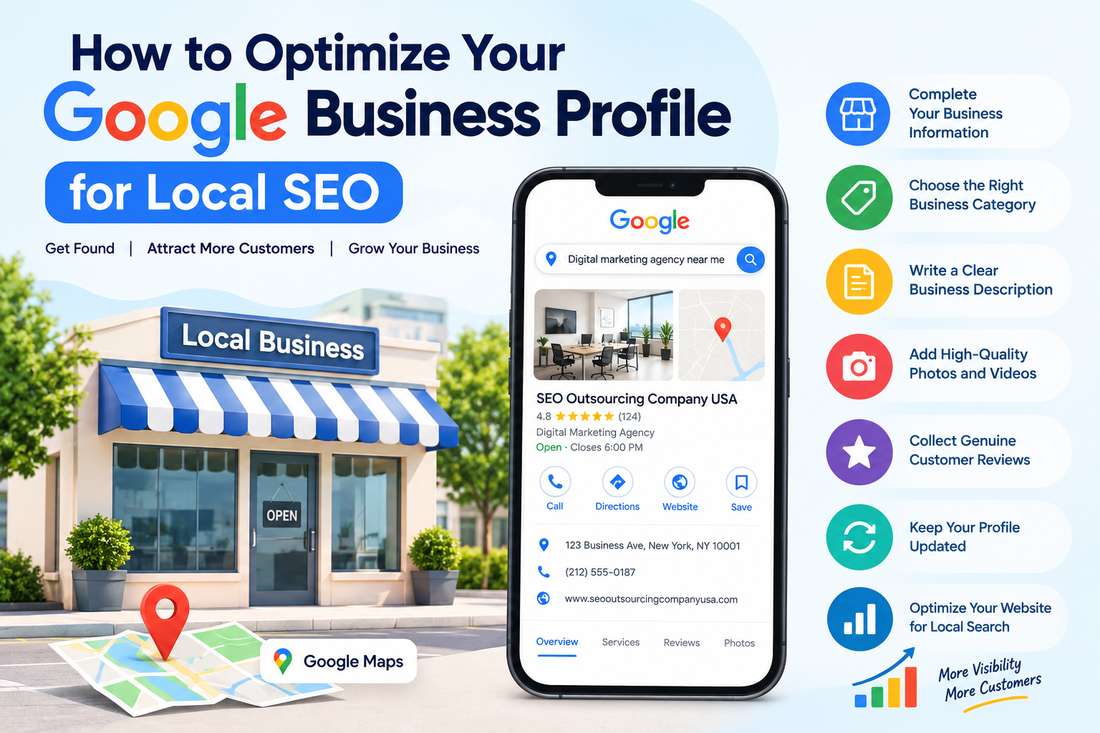
7 Ways to Optimize Your Google Business Profile for Local SEO
1. Complete Your Business Information
Start by providing accurate information about your business. Include your business name, phone number, website, hours, and address or service area, as applicable.
For US businesses, use the correct local address and telephone number. Keep your information consistent across your website and other trusted business directories.
For example, a roofing company serving Dallas should clearly communicate its actual service area rather than claiming locations where it does not operate.
Avoid adding extra keywords or city names to your business name unless they are part of your real-world business name.
2. Choose the Right Business Category
Your primary category helps Google understand what your business does.
For example:
- A dental practice should select an appropriate dental category.
- A plumbing company should choose the relevant plumbing category.
- A digital marketing agency should select the closest accurate marketing-related category available.
Add secondary categories only when they genuinely describe additional business activities.
Choosing relevant categories helps Google match your profile with suitable searches. Do not select unrelated categories just to reach more potential customers.
3. Write a Local SEO-Friendly Business Description
Your business description should explain what you offer, who you serve, and what customers can expect.
For example, a digital marketing agency in Austin could describe its SEO, content optimization, technical SEO, and link-building services for local businesses and companies across the United States.
Use relevant service terms naturally. Avoid keyword stuffing, promotional claims, URLs, and content that violates Google’s profile guidelines.
Focus on helping potential customers understand why your services are relevant to their needs.
4. Upload High-Quality Photos
Photos help customers recognize your business and understand what you offer.
Depending on your business type, add:
- Your company logo
- A suitable cover photo
- Office or storefront images
- Team photographs
- Product images
- Examples of completed work
For example, a home remodeling company in Florida could upload genuine before-and-after project photos. A restaurant in Chicago could showcase its interior, menu items, and dining area.
Use authentic, clear images that accurately represent your business. Update them when your services, location, or appearance changes.
5. Collect Genuine Customer Reviews
Reviews help potential customers evaluate your business before making a decision. They also contribute to your business’s prominence in local search.
Ask customers to leave honest feedback after completing a purchase or service. You can share your Google review link through follow-up emails or other appropriate customer communications.
Respond professionally to both positive and negative reviews. Thank customers for their feedback and address concerns respectfully.
Never buy reviews, offer incentives in exchange for reviews, or selectively request positive reviews only. These practices can violate Google’s policies.
6. Keep Your Profile Updated
Outdated information can lead to missed calls, unnecessary visits, and frustrated customers.
Review your profile regularly to ensure that:
- Business hours are correct.
- Holiday hours are updated.
- Phone numbers and website links work.
- Services and business details remain accurate.
- Announcements and offers are current.
US businesses should pay particular attention to holiday schedules, including Thanksgiving, Christmas, and Independence Day, whenever their hours differ from normal operations.
7. Optimize Your Website for Local Search
Your Google Business Profile should support a broader local SEO strategy.
Improve your website by:
- Creating dedicated pages for your main services.
- Mentioning relevant US cities and service areas naturally.
- Adding accurate contact information.
- Optimizing title tags, meta descriptions, and headings.
- Improving mobile usability and page speed.
- Using internal links to connect related pages.
- Fixing crawling and indexing problems.
- Implementing appropriate LocalBusiness structured data when relevant.
For example, a business serving multiple cities may create useful location pages with unique service information for each area. Avoid producing dozens of nearly identical pages just to target different city names.
If your company serves customers remotely across the USA, describe your actual service coverage clearly and follow Google’s eligibility rules for your business type.
How to Track Local SEO Performance
After optimizing your profile, use Google Business Profile’s performance reporting to understand how customers discover and interact with your business.
Depending on available reporting, you may be able to review:
- Searches that display your profile
- Views on Google Search and Maps
- Website clicks
- Phone calls
- Direction requests
- Other customer interactions
You can also use Google Search Console and website analytics to monitor organic search performance and visits from relevant locations.
Review changes over time and identify which services and locations attract meaningful customer interest.
Common Google Business Profile Mistakes
Avoid these common errors:
- Adding keywords to your business name unnaturally
- Using an address where your business is not eligible to appear
- Selecting irrelevant categories
- Ignoring customer reviews
- Leaving outdated contact details
- Creating duplicate profiles
- Publishing misleading photos
- Expecting instant ranking improvements
Following Google’s guidelines and keeping your information accurate creates a stronger foundation for sustainable local SEO.
Conclusion
Optimizing your Google Business Profile can help customers across the United States discover your business and learn about your services. Start with accurate business details, relevant categories, genuine reviews, quality photos, and a website built around your customers’ needs.
At SEO Outsourcing Company USA, we help businesses strengthen their online presence through local SEO, keyword research, on-page SEO, technical SEO audits, content optimization, and link building. Our strategies focus on improving search visibility and helping businesses connect with relevant customers.
