

What Is Mobile-First Indexing?
Have you ever opened a website on your mobile phone and found it difficult to read? Maybe the text was too small, the images were not loading properly, or you had to zoom in to understand the content.
This is not a good experience for users. Google also wants to provide search results that help people find useful information and have a good experience on websites.
This is where mobile-first indexing becomes important.
If you have a website or work in digital marketing, understanding mobile-first indexing can help you improve your website’s SEO performance. It is especially important today because many people use smartphones to search for products, services, and information online.
In this guide, we will explain what mobile-first indexing is, how it works, why it matters for SEO, and what you can do to make your website mobile-friendly.
What Is Mobile-First Indexing?
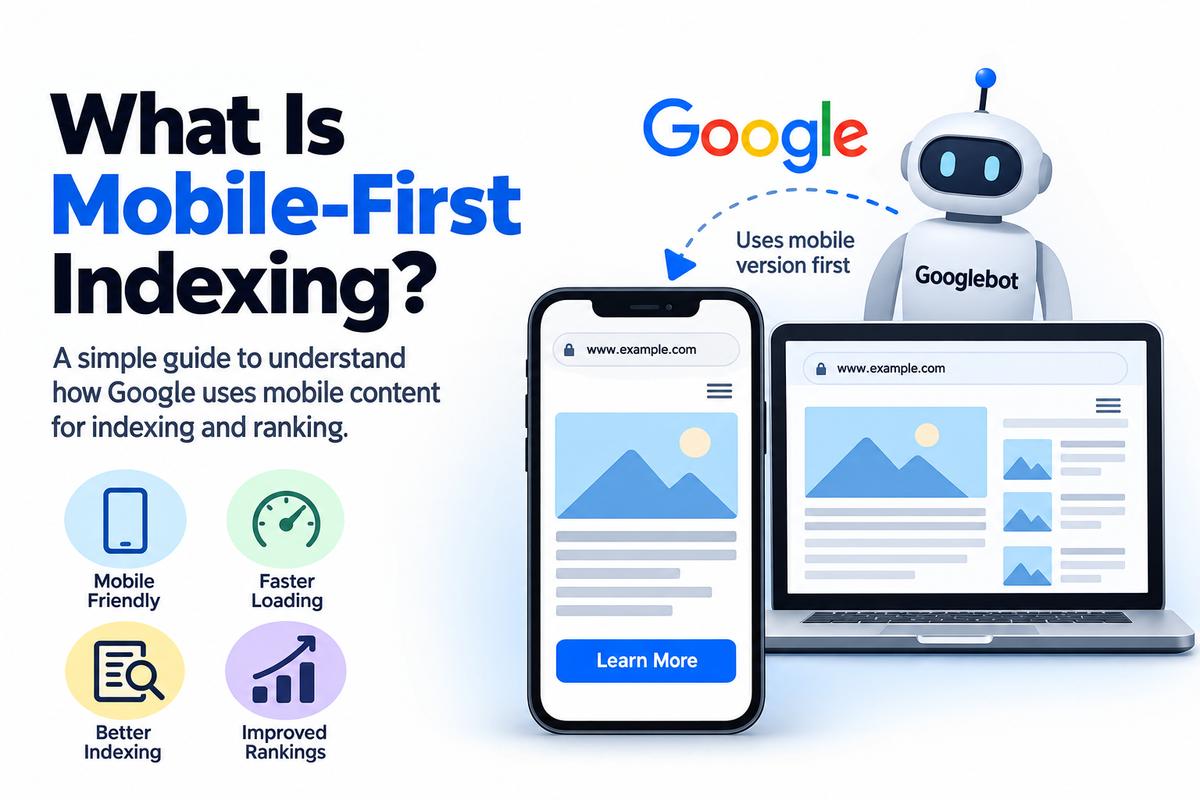
Mobile-first indexing means that Google primarily uses the mobile version of a website’s content for indexing and understanding its pages.
In simple words, Google mainly looks at the mobile version of your website when deciding what your pages are about and how they may appear in search results.
For example, imagine you have a website with two versions:
- A desktop version with complete content, images, and internal links.
- A mobile version with some content removed to make the page shorter.
If Google primarily evaluates the mobile version and important content is missing from it, Google may not understand your page as completely as you expect.
That is why it is important to ensure that your mobile website contains the same important content as your desktop website.
Remember: Mobile-first indexing does not mean Google only indexes mobile websites. It means Google primarily uses the mobile version of a page for indexing.
How Does Mobile-First Indexing Work?
Let’s understand how it works with a simple example.
Suppose you run a digital marketing agency and have a service page about SEO services.
Your desktop page contains:
- A detailed description of your SEO services.
- Information about your team and experience.
- Customer reviews.
- Frequently asked questions.
- Internal links to related services.
However, your mobile version only displays a short introduction and a contact form.
In this situation, Google may not find all the information available on your desktop version when it evaluates the mobile page.
This could affect how Google understands your content.
To avoid this problem, make sure that important information is available on both desktop and mobile versions.
Here is a simple overview of the process:
- Google discovers your webpage.
- Google crawls the page, primarily using a mobile smartphone user agent.
- Google processes the available content and other relevant information.
- Google uses the information to understand and index the page.
- Your page may appear in relevant Google search results.
Keep in mind that indexing does not guarantee rankings. Google considers many other factors when deciding which pages to show for a search query.
Why Is Mobile-First Indexing Important for SEO?
Mobile-first indexing is important because it affects how Google accesses and understands your website’s content.
Let’s look at some of the main reasons why website owners and SEO professionals should care about it.
1. It Helps Google Understand Your Content
Your website content tells Google what your page is about.
If your mobile version contains the same important content as your desktop version, Google has a better opportunity to understand the page properly.
For example, if you offer local SEO services, your mobile page should include the service information, relevant headings, and useful details available on the desktop version.
Removing important content from mobile pages can make it harder for Google to understand everything your website offers.
2. It Supports a Better User Experience
People expect websites to work properly on their phones.
They want to read articles, compare products, contact businesses, and find answers without struggling with the layout.
A mobile-friendly website makes these activities easier.
For example, if a user visits your website to learn about your services, they should be able to read the content, navigate between pages, and contact your business without unnecessary difficulty.
A better user experience can help visitors interact with your website more comfortably.
3. It Helps Protect Important SEO Elements
Mobile-first indexing also makes it important to check whether essential SEO elements are available on mobile pages.
These include:
- Page titles and meta descriptions.
- Main headings and body content.
- Internal links.
- Images and their alternative text.
- Structured data.
- Canonical tags.
You should check these elements carefully, especially if your website uses separate desktop and mobile URLs or displays different content on different devices.
4. It Encourages Mobile-Friendly Website Design
A mobile-friendly website adjusts to different screen sizes.
For example, a visitor should be able to open your website on a smartphone and see readable text, properly displayed images, and buttons that are easy to tap.
Responsive web design is a common way to achieve this.
With responsive design, the same page URL and HTML content can adapt to different screen sizes.
This approach can make website management easier and help maintain consistency between desktop and mobile versions.
What Is the Difference Between Mobile-First Indexing and Mobile-Friendly Design?
These terms sound similar, but they mean different things.
Mobile-first indexing describes how Google primarily uses the mobile version of a website’s content for indexing.
Mobile-friendly design describes how a website is designed to work well on mobile devices.
For example, imagine your website adjusts perfectly to a smartphone screen. The text is readable, the buttons work, and visitors can navigate easily.
That is mobile-friendly design.
However, if your mobile version hides important content that appears on desktop, you may still have an issue related to mobile-first indexing.
Similarly, a website can have the same content on desktop and mobile but still provide a poor mobile experience because its layout is difficult to use.
The goal is to make your website both accessible to Google and easy for people to use.
How to Optimize Your Website for Mobile-First Indexing
Now that you understand what mobile-first indexing means, let’s discuss some practical steps you can take to improve your website.
1. Use Responsive Web Design
Responsive design allows your website to adjust automatically to different screen sizes.
Whether someone visits your website using a desktop computer, tablet, or smartphone, the layout adapts to the available screen space.
For most websites, this is a practical approach because you can maintain one URL for each page rather than managing separate desktop and mobile URLs.
If you use WordPress, many modern themes and page builders already support responsive layouts.
However, always check the final website on different devices instead of assuming that the design works perfectly.
2. Keep Important Content Consistent
This is one of the most important steps.
Make sure your mobile version contains the essential information available on the desktop version.
For example, if your desktop page includes service descriptions, pricing information, FAQs, and useful internal links, check that these elements are also accessible on mobile.
You can use expandable sections such as accordions to organize content on smaller screens. Important content inside these sections should still be accessible to Google.
The goal is to improve the mobile layout without unnecessarily removing useful information.
3. Check Your Website’s Loading Speed
Website speed matters for user experience.
If your pages take too long to load, visitors may become frustrated and leave before interacting with your content.
Here are some practical ways to improve loading speed:
- Compress large images.
- Use modern image formats such as WebP or AVIF where appropriate.
- Reduce unnecessary JavaScript and CSS.
- Enable browser caching.
- Use a reliable hosting provider.
- Remove unnecessary plugins and scripts.
- Consider using a content delivery network when appropriate.
You can use Google’s PageSpeed Insights to evaluate your website’s performance and identify potential improvements.
Remember that a faster website does not automatically guarantee higher rankings. However, improving performance can make your website more pleasant to use.
4. Check Your Robots.txt File
Your robots.txt file provides crawling instructions to search engine bots.
If your robots.txt file blocks important resources that Google needs to access your pages, it may interfere with Google’s ability to understand how your website is displayed.
For example, blocking essential CSS or JavaScript files can prevent Google from properly rendering your page.
Review your robots.txt file and ensure that important content and rendering resources are accessible to Googlebot.
Do not block resources simply because they are located inside a particular directory. First, check whether Google needs those resources to understand your pages.
5. Optimize Images for Mobile Devices
Large images can slow down your website, especially for visitors using mobile networks.
To improve image performance, compress images before uploading them and use appropriate dimensions for their placement.
You should also add descriptive alternative text to meaningful images.
For example, if an image shows a digital marketing team working on an SEO campaign, suitable alt text could be “Digital marketing team working on an SEO campaign.”
Avoid stuffing keywords into alt text. Describe the image naturally and accurately.
6. Check Internal Links
Internal links help visitors and search engines discover related pages on your website.
For example, a blog about mobile-first indexing could link to relevant articles about technical SEO, website speed, and mobile SEO.
Make sure important internal links are available on mobile pages.
If your desktop navigation contains links to essential service pages but your mobile version removes them entirely, review whether visitors and Google can still discover those pages through other accessible links.
A clear internal linking structure helps users navigate your website and supports search engine discovery.
7. Review Structured Data
Structured data helps search engines understand specific information about a webpage.
For example, depending on the content and eligibility requirements, you might use relevant structured data for articles, products, local businesses, or organizations.
If you use structured data on your desktop version, check that the equivalent important markup is also present on the mobile version.
Make sure the markup accurately represents the visible or otherwise eligible page content and follows Google’s structured data guidelines.
Adding structured data does not guarantee rich results, but correct implementation can help Google interpret eligible content.
8. Test Your Website on Different Mobile Devices
Do not rely on how your website looks on just one phone.
Test it on different screen sizes and check whether:
- Text is easy to read.
- Buttons are easy to tap.
- Navigation menus work correctly.
- Images fit the screen.
- Important content is visible.
- Forms are easy to complete.
- No unnecessary horizontal scrolling occurs.
You can also use Google’s Search Console and URL Inspection tool to investigate how Google accesses and processes a page.
These checks can help you identify problems that might not be obvious when viewing your website on a desktop computer.
Common Mobile-First Indexing Mistakes to Avoid
Even websites with good designs can have technical issues.
Here are some common mistakes to watch for.
Removing important content from mobile pages: Your mobile version should retain the essential content available on desktop.
Blocking important resources: Make sure Google can access the resources required to render and understand your pages.
Using different metadata unnecessarily: Keep important titles, descriptions, and other relevant metadata consistent across versions when separate mobile and desktop URLs are used.
Ignoring mobile performance: Large images, unnecessary scripts, and poorly optimized layouts can create a frustrating experience.
Forgetting internal links: Important pages should remain discoverable through accessible links.
Assuming mobile-first indexing guarantees rankings: Even if your website is indexed correctly, your rankings depend on many factors, including relevance, content quality, competition, and Google’s ranking systems.
Avoiding these mistakes can help you maintain a technically sound website.
How to Check Mobile-First Indexing Issues
If you are an SEO professional, you may wonder how to check whether a website has problems related to mobile-first indexing.
You can start with the following tools.
Google Search Console: Use the URL Inspection tool to check a page’s indexing status and review the available crawl information. Search Console can help you identify indexing issues, but it does not provide a simple switch to enable or disable mobile-first indexing.
PageSpeed Insights: Use this tool to evaluate page performance and identify potential improvements for mobile and desktop experiences.
Chrome DevTools: Use device emulation to inspect how a website behaves at different screen sizes.
Website crawlers: Tools such as Screaming Frog SEO Spider can help you audit URLs, titles, headings, internal links, and other technical SEO elements. Compare desktop and mobile crawling configurations when investigating differences between versions.
You should also inspect important pages manually on a smartphone.
If Google can access your content but users struggle to navigate the page, the website may still need design and usability improvements.
Does Mobile-First Indexing Affect Rankings?
Mobile-first indexing can affect how Google understands and indexes your website, but it is not a direct guarantee of higher or lower rankings.
For example, if your mobile version is missing important content, Google may have less information available to understand your page.
Similarly, if your website is difficult to use on a smartphone, visitors may have a poor experience.
However, a mobile-friendly website will not automatically outrank every competitor.
Google considers many signals and systems when ranking search results. Relevant content, helpful information, website accessibility, technical SEO, and overall page quality remain important.
Instead of focusing only on mobile-first indexing, work on building a website that is technically accessible, useful, and easy to navigate on all devices.
Final Thoughts
Mobile-first indexing is an important part of modern SEO because Google primarily uses the mobile version of a website’s content for indexing.
If you want your website to perform well in search results, make sure that Google can access your important content and that visitors can easily use your website on smartphones.
Start by checking your mobile layout, reviewing important content, optimizing images, improving loading performance, and checking internal links.
If you manage a WordPress website, review your theme and page builder settings to ensure that mobile and desktop versions provide consistent, useful information.
The main takeaway is simple: Build your website for people first, keep important content accessible across devices, and make it easy for Google to understand your pages.
