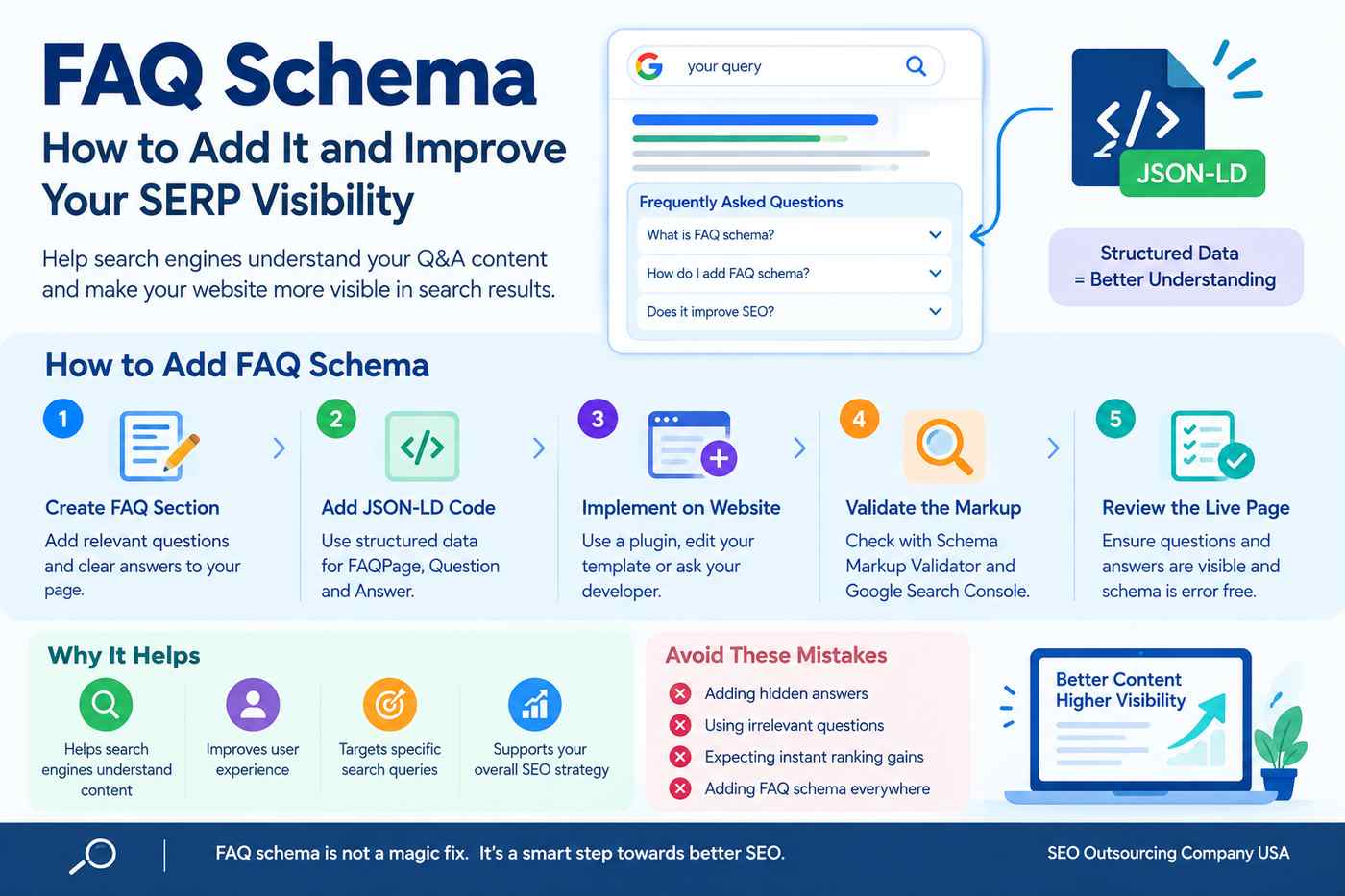

FAQ Schema: How to Add It and Improve Your SERP Visibility
FAQ schema is a type of structured data that helps search engines understand the questions and answers published on a webpage. It connects each question with its answer in a format that search engines can read.
Adding FAQ schema is a useful technical SEO practice, but there is an important update for 2026: Google no longer displays FAQ rich results in its search results. This means adding FAQ schema will not automatically create expandable questions below your website listing. However, a clear FAQ section can still help users find information, answer common queries, and improve the overall usefulness of your content. Google Search Central
What Is FAQ Schema?
FAQ schema uses structured data to describe frequently asked questions and their answers on a webpage. It commonly uses the FAQPage type with Question and Answer properties.
For example, an SEO agency might include these questions on its website:
- What is SEO?
- How long does SEO take to show results?
- What is included in an SEO audit?
- How can businesses improve website visibility?
The visible FAQ section helps visitors understand the topic. The schema provides additional structured information about those questions and answers.
How Does FAQ Schema Help SEO?
FAQ schema should not be treated as a direct ranking boost. Its value depends on how it supports your website and its content.
1. Helps Search Engines Understand Content
Structured data provides information about the questions and answers on a page. This helps search engines interpret the content more clearly.
2. Supports a Better User Experience
A well-written FAQ section answers common questions without forcing visitors to search through the entire page. This can help them find useful information more quickly.
3. Targets Specific Search Queries
People often search using questions such as “How does technical SEO work?” or “How do I improve website rankings?” Answering relevant questions can make your content more useful for those searches.
4. Supports Your Overall SEO Strategy
FAQ content works best alongside keyword research, helpful content, internal linking, page optimization, and technical SEO. Schema alone cannot fix weak content or indexing problems.
Important: FAQ schema does not guarantee higher rankings, additional clicks, AI citations, or special search-result features.
How to Add FAQ Schema to Your Website
You can add FAQ schema using JSON-LD, a commonly used structured data format. Follow these steps.
Step 1: Create a Useful FAQ Section
Choose questions related to your page topic. Use customer queries, keyword research, and questions your audience regularly asks.
Write short, clear answers that directly address each question. Make sure the questions and answers are visible to website visitors.
Step 2: Generate the FAQ Schema Code
Here is an example of FAQ schema for an SEO services page.
<script type="application/ld+json">
{
  "@context": "https://schema.org",
  "@type": "FAQPage",
  "mainEntity": [
    {
      "@type": "Question",
      "name": "What is SEO?",
      "acceptedAnswer": {
        "@type": "Answer",
        "text": "SEO is the process of improving a website to help search engines understand its content and help users find relevant information."
      }
    },
    {
      "@type": "Question",
      "name": "Why is technical SEO important?",
      "acceptedAnswer": {
        "@type": "Answer",
        "text": "Technical SEO helps search engines crawl, access, and index website content by addressing issues such as broken links, crawl restrictions, and sitemap problems."
      }
    }
  ]
}
</script>
Replace these sample questions and answers with the actual content on your page. Do not add questions to the schema if they are not available to visitors.
Step 3: Add the Code to Your Website
There are several ways to implement FAQ schema:
- WordPress plugins: Use a suitable schema plugin that supports FAQ structured data.
- Manual implementation: Add the JSON-LD code to the relevant page through your website editor or template.
- Developer support: Ask your developer to implement the markup if you manage a custom-built website.
Avoid adding the same schema repeatedly through multiple plugins or templates.
Step 4: Validate the Schema
After adding the code, check whether the markup is structured correctly.
You can use these tools:
- Schema Markup Validator to check structured data syntax and vocabulary.
- Google Search Console to inspect URLs, indexing status, and other website search performance information.
Google’s former FAQ rich-result testing workflow is no longer a way to qualify for FAQ dropdowns because the feature has been retired.
Step 5: Check the Page After Implementation
Review the live webpage and confirm that:
- The questions and answers are visible.
- The schema matches the published content.
- The page can be accessed by search engines.
- The code contains no syntax errors.
- The page has useful content beyond the FAQ section.
Common FAQ Schema Mistakes to Avoid
Adding hidden answers: Do not include answers in the markup that visitors cannot find on the page.
Using irrelevant questions: Keep every question connected to the page’s main topic.
Expecting instant ranking improvements: Schema is not a shortcut to higher rankings.
Adding FAQ schema everywhere: Use structured data only where it accurately describes the content.
Ignoring technical SEO: Review crawling, indexing, internal links, page speed, and content quality as part of your broader optimization work.
How to Improve SERP Visibility Beyond FAQ Schema
Since Google no longer displays FAQ rich results, focus on improvements that can support your website’s organic search performance.
- Conduct keyword research to understand what your audience is searching for.
- Write direct answers to relevant questions.
- Optimize title tags, meta descriptions, headings, and internal links.
- Improve page speed and mobile usability.
- Fix crawling and indexing issues.
- Build relevant, trustworthy backlinks.
- Monitor impressions, clicks, and search queries through Google Search Console.
These activities help build a stronger SEO foundation. No single change guarantees better rankings, so measure performance over time.
Conclusion
FAQ schema helps organize question-and-answer content in a format search engines can understand. Although Google retired FAQ rich results in 2026, useful FAQ sections remain valuable for visitors and can support a broader content optimization strategy.
At SEO Outsourcing Company USA, we help businesses strengthen their online presence through on-page SEO, technical SEO audits, keyword research, content optimization, and link building. Our approach focuses on useful content, a technically sound website, and sustainable search visibility.
If you want to improve your website’s SEO performance, visit SEO Outsourcing Company USA to explore our services.
Frequently Asked Questions
1. Does FAQ schema improve Google rankings?
FAQ schema is not a direct ranking boost. Its primary purpose is to describe question-and-answer content using structured data.
2. Does Google still show FAQ rich results in 2026?
No. Google stopped displaying FAQ rich results in Search on May 7, 2026. Adding FAQ schema will not restore the former expandable FAQ listings.
3. Can I add FAQ schema in WordPress?
Yes. You can use a suitable schema plugin or add JSON-LD manually, provided the markup matches the visible FAQ content.
